
Yelken Accounting
Accounting & Finance Module
Cash and bank accounts, income and expense movements, receivables, and reports.
- Cash and bank accounts
- Income and expense types
- Payment methods
- Customer account
Details
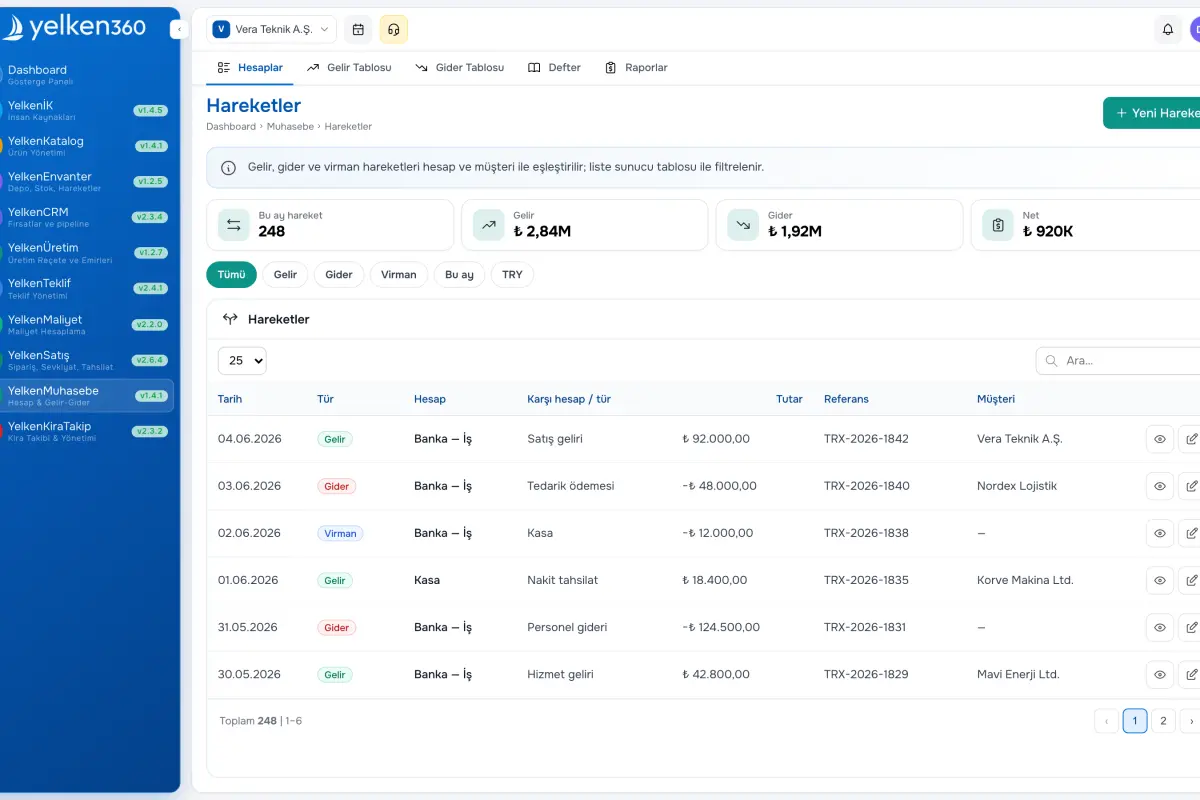
The Accounting module centralizes workspace cash and bank accounts. Start with opening balances, then record income and expenses to monitor live balances.
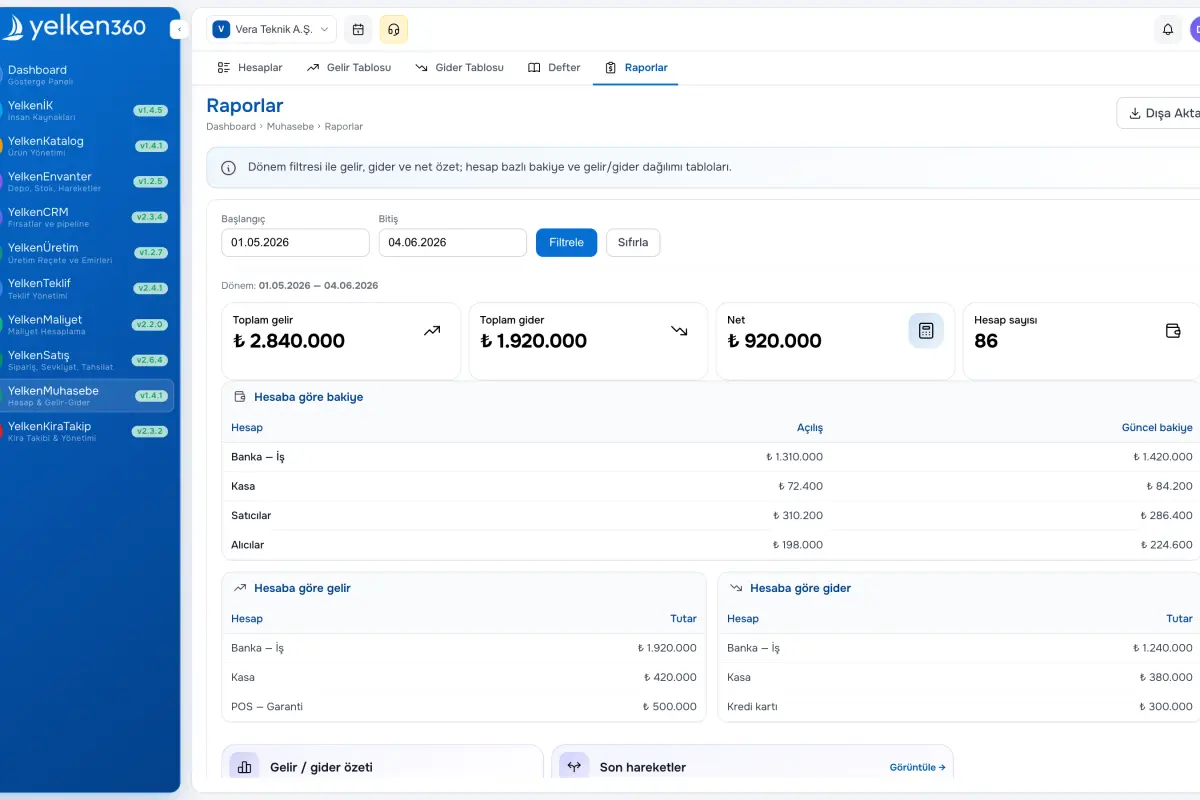
Define income and expense types plus payment methods for meaningful reporting breakdowns. Use customer accounts to see balances by counterparty. KPIs such as total income, total expense, net profit, and monthly profit appear on dashboards and dedicated report pages.
Amounts respect workspace currency and formatting. Integrations with invoicing or other modules can post billable events into accounting movements automatically.
Screenshots
See the interface up close.
-
Yelken Accounting – List View -
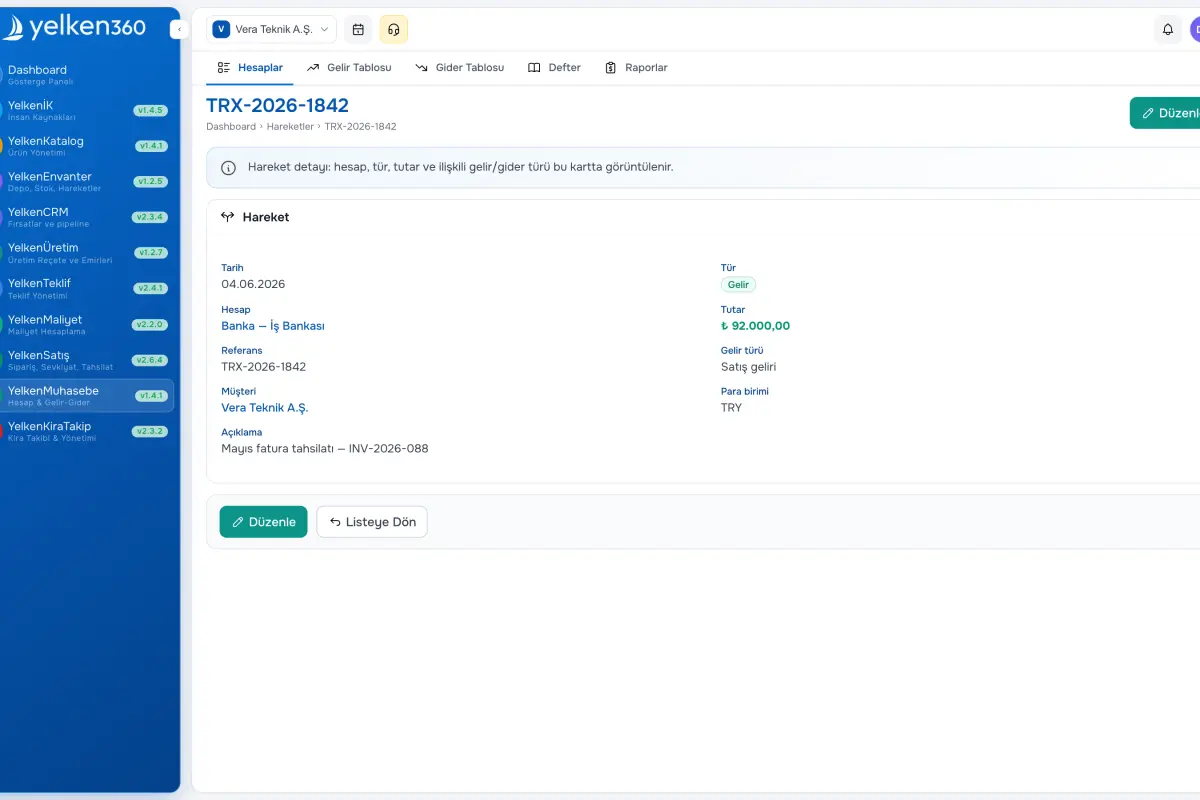
Yelken Accounting – Detail View -
Yelken Accounting – Dashboard View
Features
ERP, Catalog, Stock, Inventory, Invoicing, Accounting, CRM, HR, Integrations and more. Enable the modules you need under one subscription; new modules are added to the platform over time.
-
Cash and bank accounts
Create ledgers with codes, currency, and opening balances; mark a default for faster entry.
-
Income and expense types
Workspace-specific categories for reporting; seed Turkey-focused samples or build your own lists.
-
Payment methods
Maintain methods such as cash, wire, card, or check for channel analysis on movements.
-
Customer account
See receivable-style balances per customer with movement history and period summaries.
-
Reports and KPIs
Track income, expense, net and monthly profit with PDF export for leadership reviews.
-
Currency and format
All amounts follow workspace currency, decimals, and thousands separators for consistent UI and exports.
What is included in Accounting?
Accounting brings cash/bank ledgers, movements, and customer summaries under one roof. The sections below highlight structure and tools.
Accounts
Account types
Default account
Active flags
Income and expense movements
Income entry
Expense entry
Reference and memo
Account balance
Internal transfers
Transfer entry
Balance updates
Customer account
Customer balance
Account detail
Settings and defaults
Income types
Expense types
Payment methods
Reports
Summary KPIs
PDF export
Per-account balances
KPI snapshot
Ready to get started?
Visit the pricing page to explore all plans and start your free trial.
