
Yelken Sales
Sales Module
Sales orders from accepted proposals or manual entry: lines, confirm, ship, collect, and report.
- Orders from proposals or scratch
- Customer, location, CRM
- Draft, confirm, cancel
- Shipments and remaining qty
Details
YelkenSales (YelkenSatış) is the order-to-cash layer after proposals. There is no separate “sales quote” record type: you work from standard proposals; when a quote is accepted and the module is entitled, use Convert to sale to create a linked sales order.
Create orders manually with line editor (description, quantity, unit price, discounts, per-line tax and tax-included flag, optional warehouse per line when inventory is used). Or convert from a proposal so lines and totals align with what the customer accepted.
Lifecycle: draft → confirmed (sets order date), partially shipped → completed when fully shipped, or cancelled when policy allows (no payments/shipments blocking cancel). Shipments record quantities per order line; optionally post stock-out movements when inventory is enabled and the line has product and warehouse. Payments reduce receivable; optional record as income posts to an accounting account when Accounting is enabled and permitted.
Dashboard and reports summarize open orders, revenue, collections, and outstanding balances. Customer records can surface sales activity where listeners are registered. Module access follows workspace subscription; this package does not ship entity row-count limits in package.json metadata.
Screenshots
See the interface up close.
-
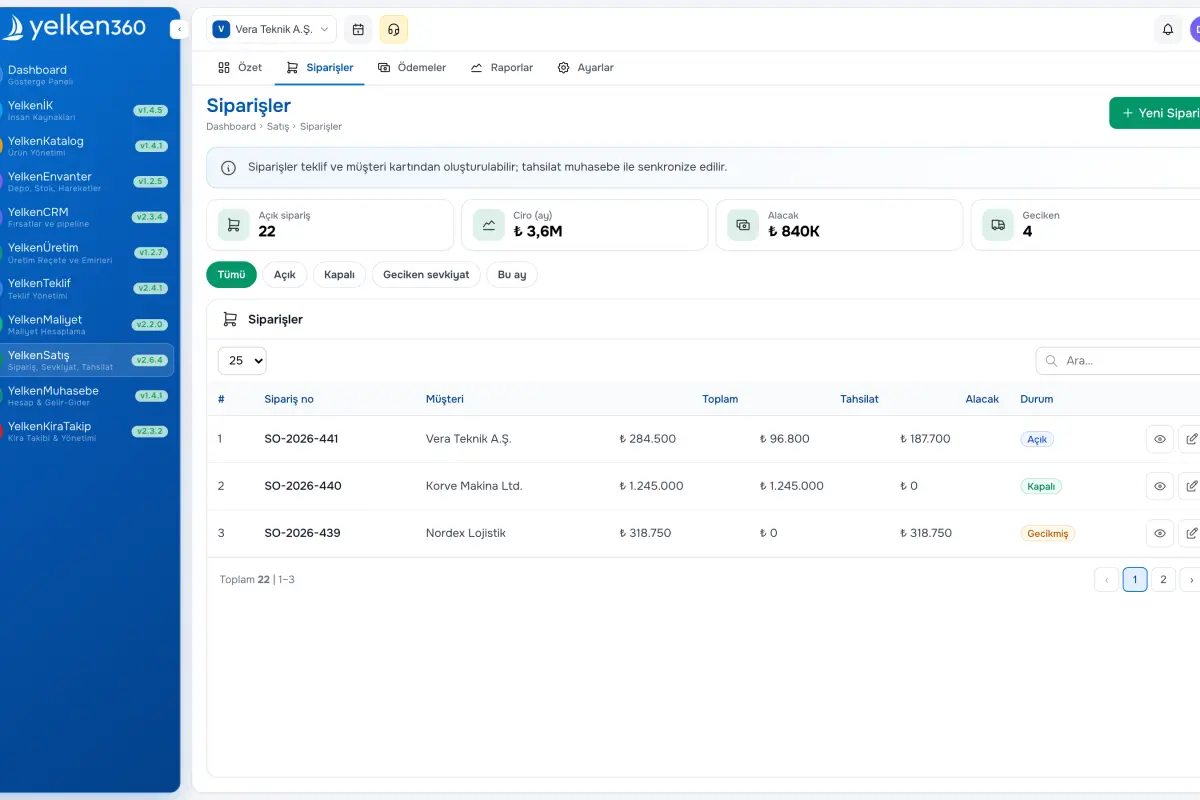
Yelken Sales – List View -
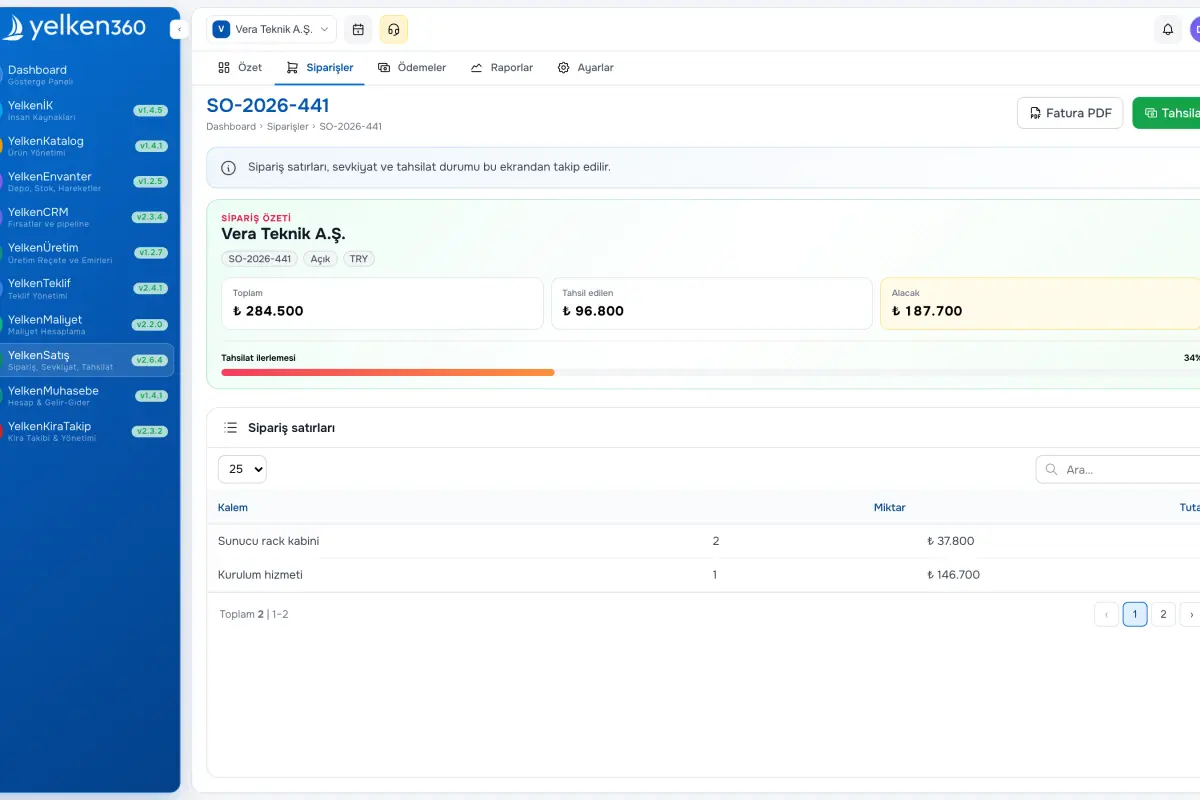
Yelken Sales – Detail View -
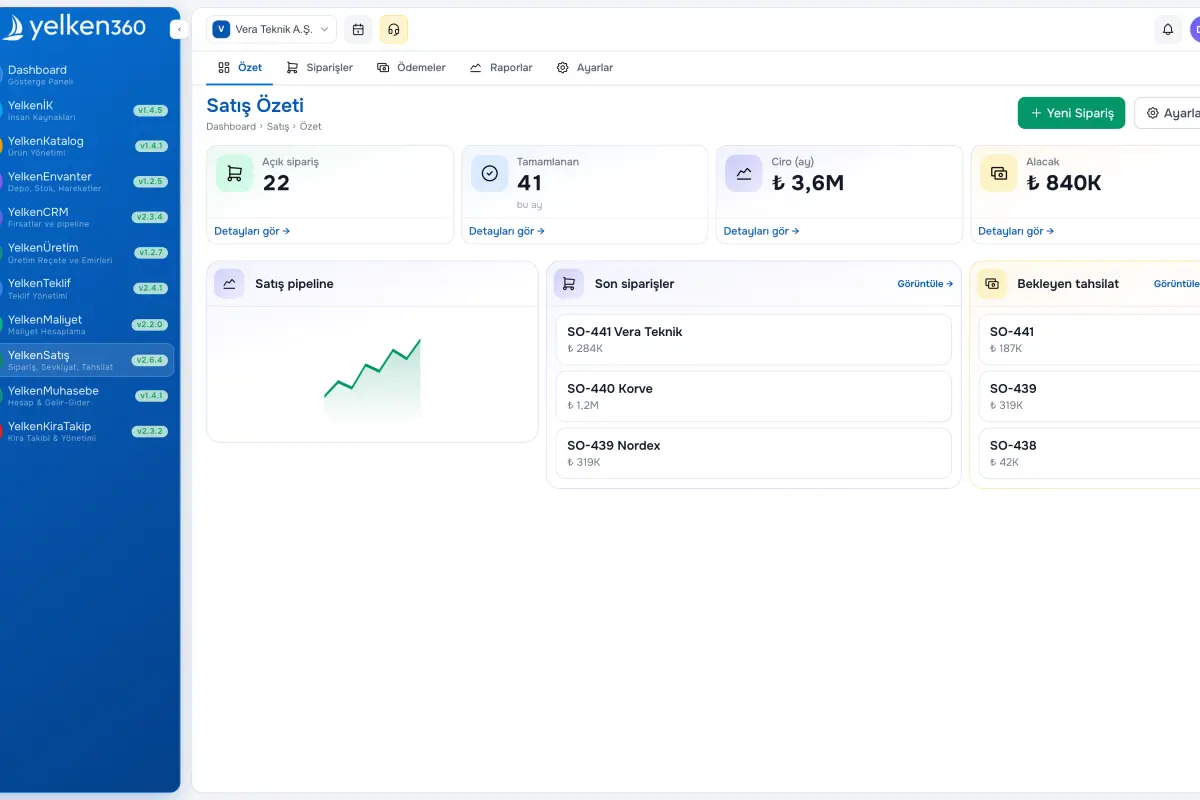
Yelken Sales – Dashboard View
Features
ERP, Catalog, Stock, Inventory, Invoicing, Accounting, CRM, HR, Integrations and more. Enable the modules you need under one subscription; new modules are added to the platform over time.
-
Orders from proposals or scratch
Convert an accepted proposal in one action when entitled, keeping customer context and line structure. Or build an order manually with multi-line editor, workspace currency, and optional exchange rate.
-
Customer, location, CRM
Attach workspace customers and customer locations; when CRM is enabled, link an opportunity for reporting and follow-through.
-
Draft, confirm, cancel
Save as draft or confirm in one step. Cancel open orders when business rules allow; delete drafts that have no shipments or payments.
-
Shipments and remaining qty
Record shipment date, reference, and quantities per line up to remaining open quantity. History lists each shipment and its lines.
-
Optional inventory stock-out
When inventory is enabled and a line has product and warehouse, shipments can create outbound stock movements for the shipped quantity.
-
Payments and receivable
Record collections with amount, date, currency, method, and reference. Workspace formatting applies; receivable derives from order total minus payments.
-
Accounting hook
Optionally post income to a ledger account on payment when Accounting module and permission allow.
-
Reporting
Workspace snapshot of orders, revenue, collected amounts, and outstanding receivable with drill-down friendly tables.
-
Raporlar
Sipariş özeti: toplam sipariş, açık sipariş, tamamlanan, ciro, tahsilat ve açık alacak; sipariş tablosu.
What does the Sales module cover?
Sales links proposals and operations to fulfilled orders, shipments, and cash collection. The sections below summarize lifecycle, fulfillment, and finance hooks.
Proposal and manual paths
Convert to sale
Manual order
Catalog alignment
Fulfillment
Partial shipments
Stock sync
Shipment audit
Cash and accounting
Multi-currency payment
Receivable
Income posting
Access and limits
RBAC
Plan module
No package row limits
Ready to get started?
Visit the pricing page to explore all plans and start your free trial.
