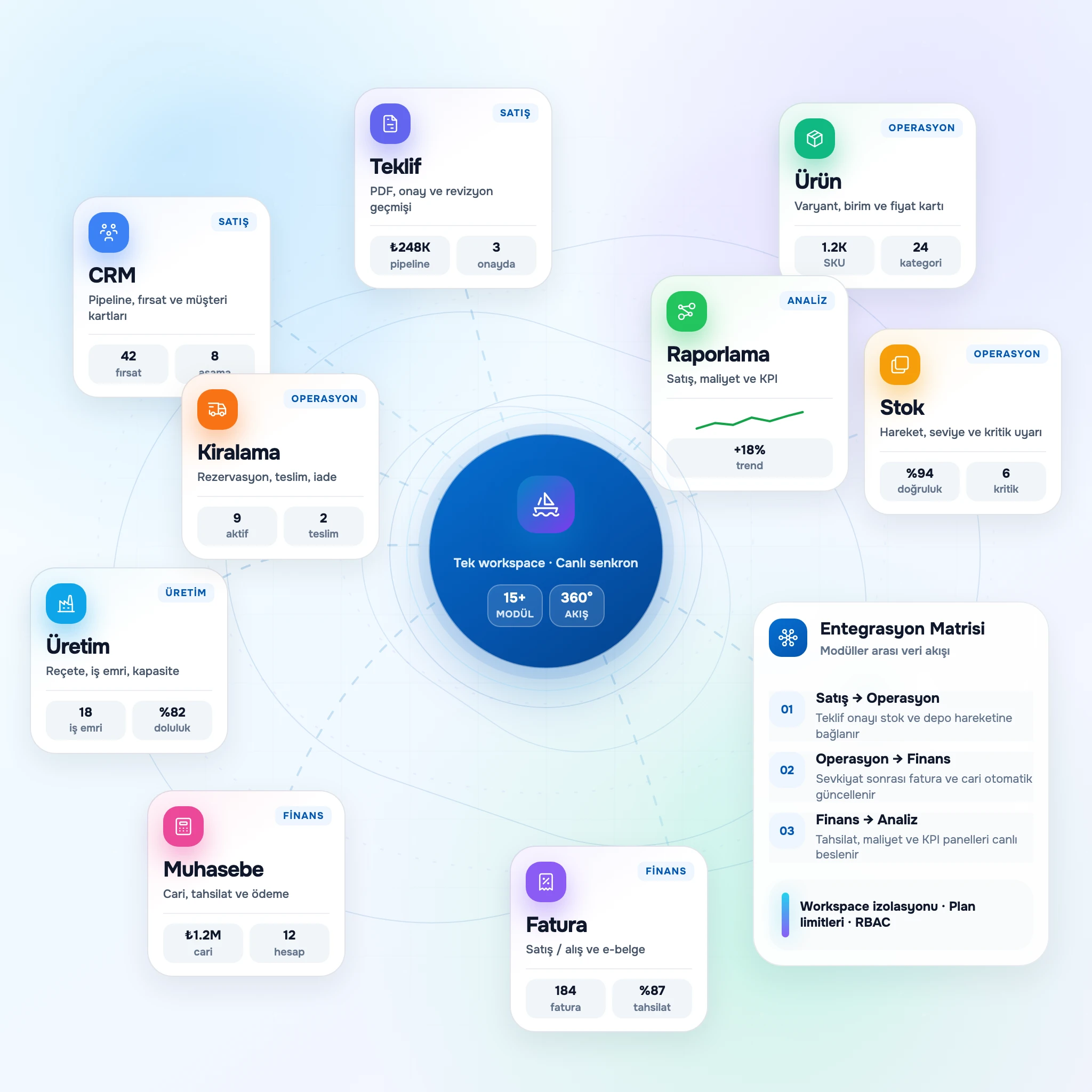
One platform
All your business areas in one place: Catalog, Stock, Inventory, Invoicing, Accounting, CRM, HR and reporting. Modules work together; data stays unified.

Loading…
Please wait while the page is loading.
A modular platform: ERP, Catalog, Stock, Inventory, Invoicing, Accounting, CRM, HR, Integrations and more. Use the modules you need; new ones are added regularly.
Dashboard
6 new notifications · 3 pending tasks
Revenue Performance
Recent Activity
Proposal approved · ABC Ltd.
2 min ago
Collection · $18,750 · Main bank
14 min ago
Stock transfer · Warehouse A → B
1 hr ago
Sales Pipeline
Weekly Sales
+18%Active Modules
Enable the modules you need today and expand as your business grows.
Yelken360 is an ERP-style platform made of modules. You enable what you need today and add more as your business grows. New modules are added to the platform on an ongoing basis.
All your business areas in one place: Catalog, Stock, Inventory, Invoicing, Accounting, CRM, HR and reporting. Modules work together; data stays unified.
Separate teams, brands or projects in one account. Each workspace has its own data and subscription.
Enable only the modules you need: ERP, Catalog, Stock, Inventory, Invoicing, Accounting, CRM, HR, Integrations and others. New modules are added regularly.
Ready-made or custom plans. Set limits per module, pay for what you use, upgrade or add modules anytime.
Modular architecture, multilingual support, reliable infrastructure and a team that keeps the platform evolving.
CRM, stock, invoicing, accounting and 15+ modules working together under one subscription.
Interface and content in 10+ languages so teams across regions work comfortably.
Built for high availability with secure cloud infrastructure and continuous monitoring.
Regular platform updates with new modules and improvements shipped on an ongoing basis.
Expert support team available around the clock when you need guidance or help.
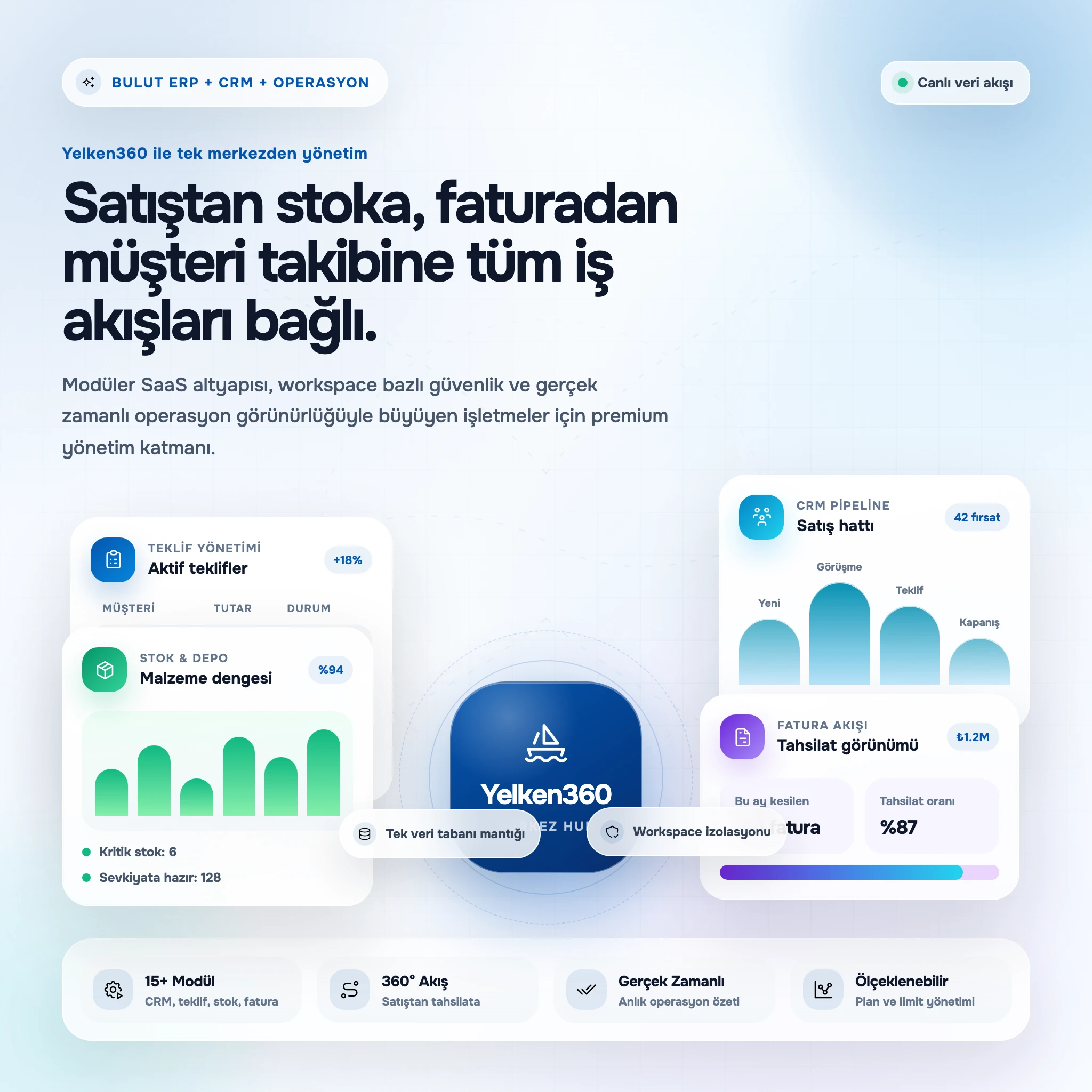
ERP, Catalog, Stock, Inventory, Invoicing, Accounting, CRM, HR, Integrations and more. Enable the modules you need under one subscription; new modules are added to the platform over time.
Select a customer, set title and amount, expected close, and owner. Filter the list by stage, amount, or date to see exactly where each deal sits.
Model your sales process with custom stages. Bootstrap from a template or build your own, order them, assign colors, and flag won/lost stages for reporting.
Record every interaction with subject and optional due date. Activities appear in chronological order on the opportunity; complete tasks when done.
See customer, stage, amount, notes, and the full activity history on one screen so gaps in follow-up are obvious.
Core HR fields: name, employee number, contact, branch/department/position, hire and exit dates, avatar, optional user mapping (link existing user or invite by email). Detail pages show timelines of rewards, warnings, complaints, transfers, documents, and leave.
Branches, hierarchical departments, and positions managed via settings modals. Departments nest parent/child; positions belong to departments. Lists and reports filter through this tree.
Configure document types (ID, diploma, contract, social security, photo, license, etc.) and upload media per employee with list and delete actions. Seed defaults in one click.
Maintain type catalogs in settings, then log incidents from employee profiles or dedicated list pages. Events appear on the employee timeline; defaults can be seeded.
Create unlimited products. For each item set name, SKU, barcode, short description, unit (pcs, kg, m, L, etc.), purchase/sale price, and stock unit. Group items by category and brand for faster search and consistent lines on proposals and invoices.
Use a hierarchical category tree with no practical limit on depth. Each category can have its own tax rate and defaults. Manage brands for brand-based lists, filters, and reports—also reflected in proposal and invoice reporting.
Define variant options such as size, color, or material and value lists (e.g. S, M, L, XL). Generate variant combinations automatically from one product card. Assign different prices, stock, or barcodes per variant. Works with stock and e-commerce flows.
Add structured attributes—material, weight, warranty, origin, etc.—with fixed value lists for data quality. The same structure supports filters, exports, and integrations.
Create warehouses with name, code, address, contact data, and default/active flags. Balances per product and variant update automatically.
Log receipts, issues, and corrections by warehouse and product or variant. Each entry stores before/after quantities plus references and notes.
Move stock between warehouses with draft, in transit, and completed states; issues deduct at source and receipts add at destination.
Open a count session per warehouse, enter counted quantities versus system figures, and post differences to balances with audit-friendly movements.
Version finished-good recipes with component quantities, optional scrap, and revision codes so historical orders stay tied to the correct structure.
Sequence operations and assign them to named work centers with duration notes for planning conversations.
Draft, released, in progress, completed, and cancelled states with permissions that match how teams release and close work.
On completion, post component consumption and finished-good receipt to the warehouses you select on the order.
Manage buyer details, dates, validity, notes, and line items in one form. Search the catalog to add rows with automatic name, unit, quantity, price, and tax—or add free-text service lines. Totals and taxes calculate live.
Send to the customer inbox; they open a secure link, review totals, and accept or decline in one click. Responses update status and can trigger notifications. Send and view timestamps are logged.
Produce branded PDFs with configurable logo, headline copy, palette, and footer fields. Attach to email or offer a download link.
Line-level percent or amount discounts plus an optional document discount. Taxes follow workspace and product rules with inclusive or exclusive display.
Add unlimited cost lines per product with unit price and quantity for automatic line totals. Classify lines into categories such as production, labor, freight, or tax with rules per type.
Apply percent or fixed discounts per line plus an optional document discount to reach net cost with transparent running totals.
Define organization-specific line types—including standard lines, direct-add lines that skip discounts, and specialty rows—to mirror your cost architecture.
Run calculations in currencies other than the workspace default when needed; capture FX assumptions in notes for traceability.
Convert an accepted proposal in one action when entitled, keeping customer context and line structure. Or build an order manually with multi-line editor, workspace currency, and optional exchange rate.
Attach workspace customers and customer locations; when CRM is enabled, link an opportunity for reporting and follow-through.
Save as draft or confirm in one step. Cancel open orders when business rules allow; delete drafts that have no shipments or payments.
Record shipment date, reference, and quantities per line up to remaining open quantity. History lists each shipment and its lines.
Create ledgers with codes, currency, and opening balances; mark a default for faster entry.
Workspace-specific categories for reporting; seed Turkey-focused samples or build your own lists.
Maintain methods such as cash, wire, card, or check for channel analysis on movements.
See receivable-style balances per customer with movement history and period summaries.
One account per customer/location pair within a workspace. Additional rent-outs append to the open account or create it if missing—similar to a running account without a separate contract entity.
Each line earns from its start date; partial returns create segments (e.g., 10 units 5 days, then 7 units 5 days). Balance due equals earned revenue minus payments; overpayments are highlighted.
Modal workflow: Rent Out (customer/location or account, date, line items with qty, unit price, period) and Return (pick account, active lines, partial or full quantities, return date). Full return closes the line.
Record payments per account with amount, date, method (cash, wire, EFT, check), reference, and notes. Timeline lists rent-outs, returns, and payments chronologically.
A platform built to run and grow your business: modular, flexible and backed by reliable infrastructure.
Everything your team needs to work efficiently, strengthen customer relationships and keep your financial flow clear, in a single place. Enable the modules you need today and add more as your business grows; all modules talk to each other so your data stays unified.
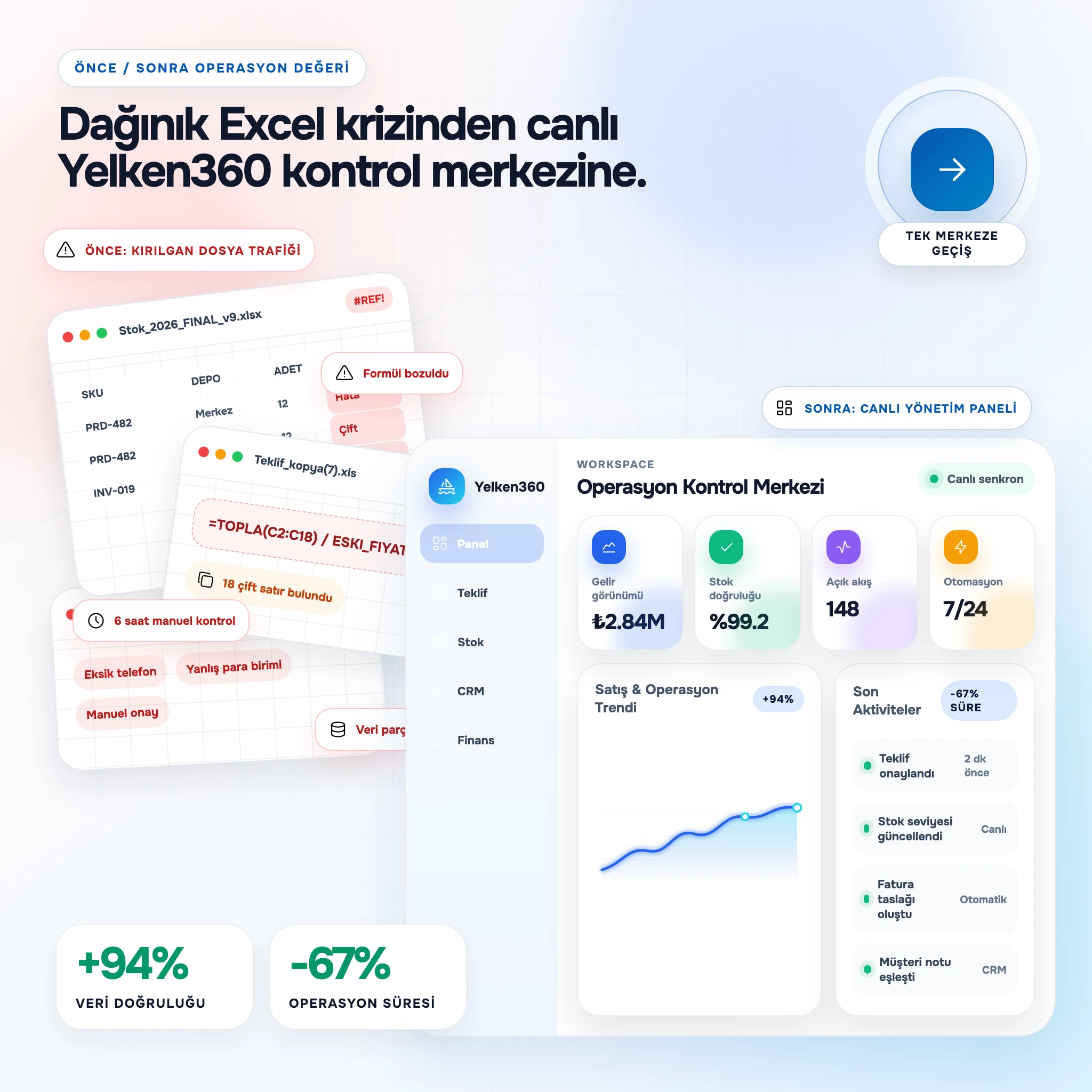
Manage your processes in one platform with the modules you use; automation and clear workflows across Catalog, Stock, Invoicing, CRM and more.
Pay only for the modules and limits you use. Your plan scales with you; add or change modules as needed.
Operations, Stock, documents and reporting in one place. Modules share data so you stay in control.
Pick a ready plan or build a custom package. Add the modules you need: ERP, Catalog, Stock, Invoicing, Accounting, CRM, HR, Integrations and others.
Platform and all modules in multiple languages; your team works in their own language.
Secure, always up to date and highly available for all modules.
Set user, storage and per-module limits; increase or add modules when you need to.
Traditional Approach
The Yelken360 Way
We build a simple, secure and always-improving platform so you spend less time on software and more on your business. Your growth is our measure of success.
Yelken360 Team
Product & Engineering
GDPR & KVKK
Data compliance
SSL Encryption
End-to-end TLS
Daily Backup
Automated backups
24/7 Support
English & Turkish
No complex setup, no long training, no dedicated IT team. With Yelken360 you are running your entire business on one platform in four simple steps.
Sign up for free, verify your email and get your first workspace ready automatically. No servers, installation or maintenance required.
No credit card requiredEnable the modules you need: Catalog, Stock, Invoicing, Accounting, CRM, HR, Proposals, Rent and more. Choose a ready plan or build a custom package.
Add modules any timeInvite team members, assign roles and permissions. Every workspace has its own data, subscription and rules.
Detailed role & permission controlDigitise your processes, track your reports, strengthen your customer relationships. Add modules or raise limits as your business grows.
Flexible upgrades, alwaysPlatform advantages
One platform for ERP, Catalog, Stock, Inventory, Invoicing, Accounting, CRM, HR, Integrations and more. Reporting, multi-language and local currency support across your modules.
Choose the package that fits your business. Every package includes a 14-day free trial.
All prices shown include VAT.
Tekliften tahsilata satış sürecinizi uçtan uca yönetin.
Includes
2
User
5GB
Storage
Modules
CRM & Sales Pipeline
Lead and opportunity management, sales pipeline, activities (call, meeting, task), customer timeline.
Product Catalog
Product catalog: manage products, categories, brands and variants in one place.
Quotes & Approvals
Create and send professional proposals to clients; templates and PDF output.
Package Highlights
Stok, maliyet ve sipariş süreçlerini satışla birlikte yönetin.
Includes
5
User
10GB
Storage
Modules
CRM & Sales Pipeline
Lead and opportunity management, sales pipeline, activities (call, meeting, task), customer timeline.
Product Catalog
Product catalog: manage products, categories, brands and variants in one place.
Inventory & Stock
Warehouse and stock management: movements, transfers, counts and minimum stock alerts.
Quotes & Approvals
Create and send professional proposals to clients; templates and PDF output.
Cost Calculation
Cost item types and calculations; apply calculated cost to products.
Orders & Fulfillment
Sales orders from proposals or manual entry, shipments, payments, CRM snapshot, accounting hooks.
Package Highlights
Finans, İK, üretim ve kiralama ile tam kurumsal entegrasyon.
Includes
10
User
25GB
Storage
Modules
CRM & Sales Pipeline
Lead and opportunity management, sales pipeline, activities (call, meeting, task), customer timeline.
HR & Payroll
Personnel, branches, departments, positions, leave and attendance.
Product Catalog
Product catalog: manage products, categories, brands and variants in one place.
Inventory & Stock
Warehouse and stock management: movements, transfers, counts and minimum stock alerts.
Production & BOM
Product recipes, routing steps, and production orders with warehouse stock integration.
Quotes & Approvals
Create and send professional proposals to clients; templates and PDF output.
Cost Calculation
Cost item types and calculations; apply calculated cost to products.
Orders & Fulfillment
Sales orders from proposals or manual entry, shipments, payments, CRM snapshot, accounting hooks.
Rental & Billing
Customer–location based rent accounts; earnings, returns, payments, quotes and reports.
Income & Expense
Cash and bank accounts, income and expense tracking, ledger and reports.
Package Highlights
Your base plan modules are ready to use. Add extras like rent tracking from the module store.
Enterprise-grade security, GDPR and KVKK compliance, end-to-end encryption and regular backups. Everything needed to protect your business data is part of our infrastructure.
Workspace-based data isolation
Every workspace is the sole owner of its data; no other user or business can access it.
Two-layer permission control
Global and workspace-level roles and permissions; each user only sees what they are authorised for.
Audit and activity logs
Critical actions are logged; get an instant answer to who did what and when.
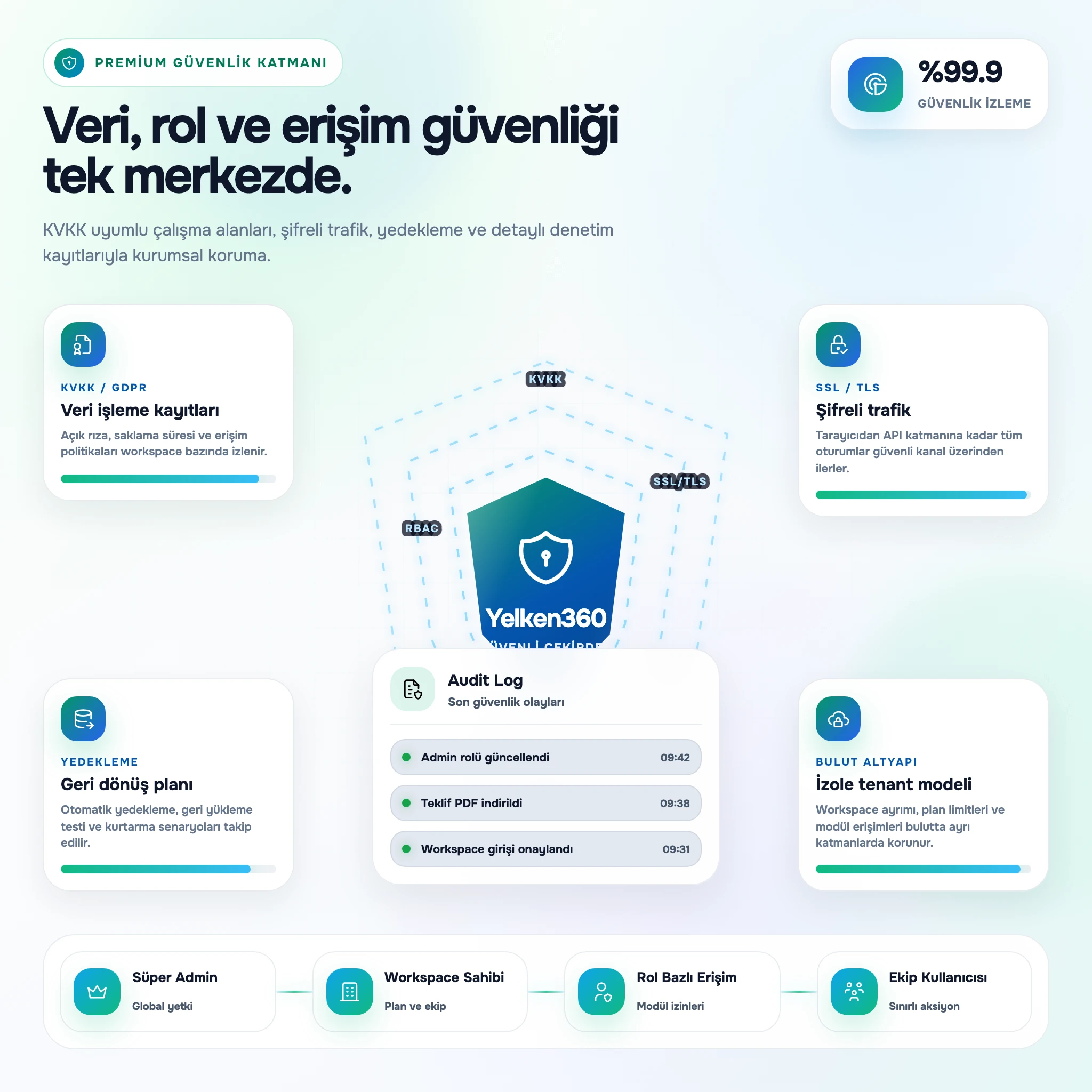
Full compliance with European GDPR and Turkish KVKK regulations. Personal data protection, deletion and export rights.
All traffic is encrypted with SSL/TLS. Sensitive data is protected with AES-256; passwords are never stored in plain text.
Daily automated backups, geo-replication and fast recovery processes. Keep your data one click away.
Highly available cloud infrastructure with 24/7 monitoring, DDoS protection and regular security patches for uninterrupted service.
Guides, tips and platform updates on business management, modules and processes.
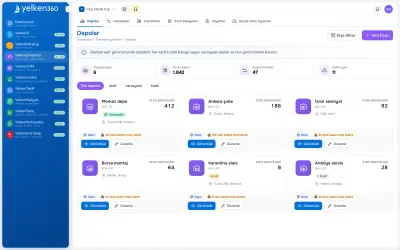
Inventory warehouse software for multi-warehouse tracking, cycle counts and sales alignment. SME stock program guide.
Read more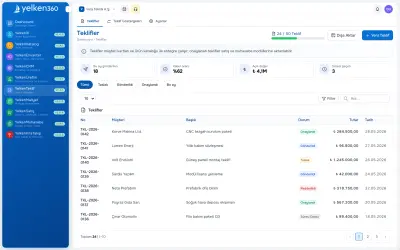
Proposal software unifies catalog, discounts, PDF and online customer approval. Guide for B2B sales teams.
Read more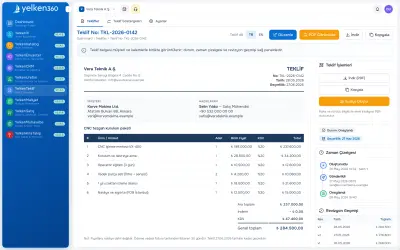
Complete guide to proposal preparation software: catalog, PDF, online approval and ERP integration for SMEs.
Read more
Proposal software unifies catalog lines, discounts, PDF output and customer approval. Selection criteria and rollout steps for growing teams.
Read more
Comparison table for quote software buyers: management features and modular ERP fit.
Read more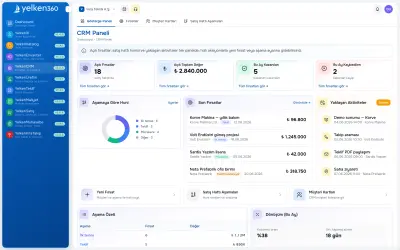
Evaluate pipeline, customer records, activity history and proposal integration together. Seven criteria and common mistakes.
Read moreStart free. Enable the modules you need: Catalog, Stock, Invoicing, CRM, Integrations and more—and grow on your terms. No setup hassle.
Up in minutes
Sign up, verify, start. No servers or IT team required.
No credit card
You do not pay anything during the trial period.
Access to all modules
Try ERP, CRM, Catalog, Stock, Accounting and more.
Enterprise security
GDPR & KVKK compliant infrastructure with end-to-end encryption.
Multi-language UI
English, Turkish and more — your team in their own language.
Flexible upgrades
Add modules, change plans or cancel anytime.
Start in seconds. Try all features of the platform free for 14 days and pick your plan only when you are happy.
Compliance
GDPR & KVKK
Encryption
SSL / TLS 1.3
Availability
99.9% Uptime
Support
24/7 Live
Find answers to common questions about our platform and services.