How to Choose Quote Software: Price, Templates and Integration
Buying quote software is not the same as buying a prettier PDF. Teams that compare vendors only on template design often end up with a document tool that still duplicates customer data, ignores stock reality, and breaks handoffs to orders. This guide explains how to evaluate quote and quote management software for B2B SMEs—with criteria you can score before signing a contract.
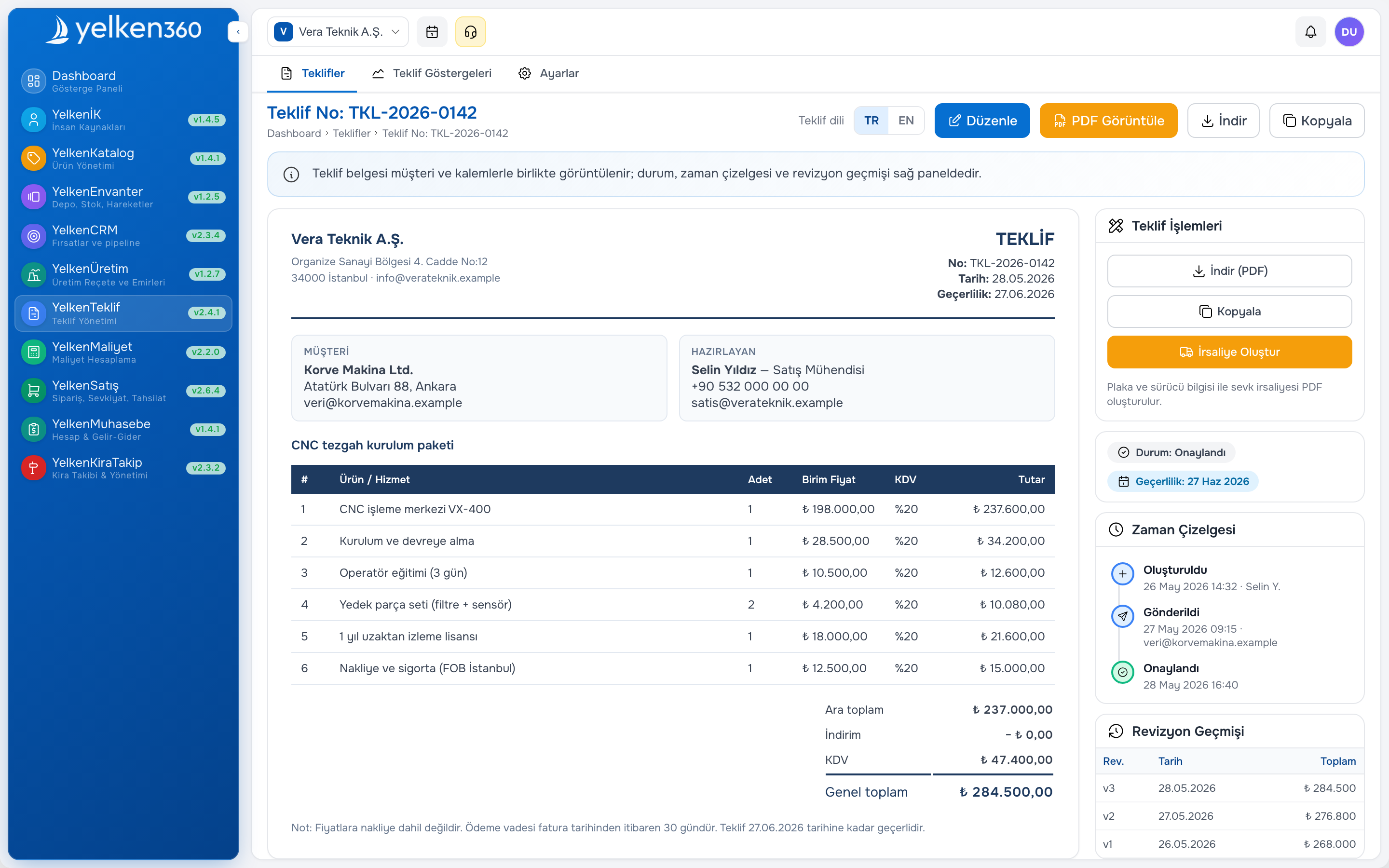
Short answer: Choose quote software that pulls live catalog and price data, enforces discount rules, links every quote to a customer and opportunity record, supports PDF and online approval, and converts accepted quotes to orders without re-entry—inside a modular ERP you can grow module by module.
Quote software versus quote management software
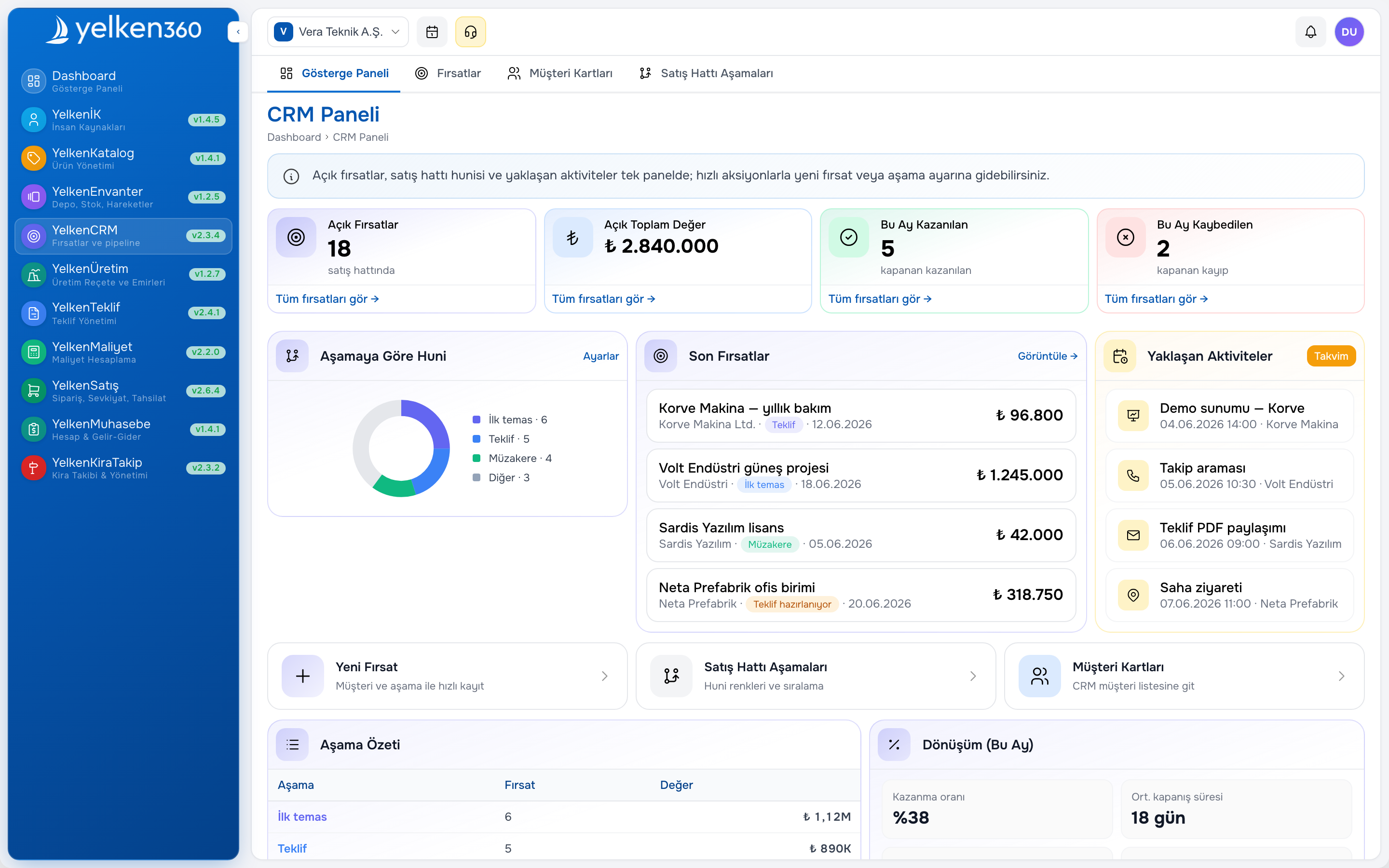
Quote software focuses on building and sending the commercial offer: lines, totals, terms, PDF, and customer response. Quote management software adds pipeline discipline—statuses, ownership, reminders, win/loss reasons, and reporting across many open quotes. SMEs with more than a handful of active deals per rep need both layers; a PDF generator alone is not management.
Free or lightweight tools can work for solo sellers. As soon as multiple reps, approvers, and warehouses interact, centralized quote management prevents version chaos and margin leaks. Map your current pain: is it document speed, approval control, or visibility for leadership?
Who needs structured quote management first
- Distributors and wholesalers with dozens of open quotes
- Project-based manufacturers quoting BOMs or engineered kits
- Field sales teams that need mobile access to catalog and draft quotes
- Operations leaders pushing quote-to-order in days, not weeks
Selection criteria you can score in a spreadsheet
Build a simple matrix: must-have, nice-to-have, not needed. Weight criteria by revenue risk—discount control and catalog accuracy usually outrank cosmetic PDF tweaks.
Templates and branding
Corporate logo, colors, bank details, and standard terms should live in templates—not in each rep’s Word file. Dynamic line columns stay flexible; legal footers stay centralized. Multi-page quotes may need cover summary, line table, and technical annex in one package.
Price, discount, and tax rules
B2B quotes use line-level or document-level discounts. The system should cap discounts by role—example scenario: field reps up to ten percent, regional managers up to twenty percent, higher requires workflow approval. Tax treatment should match how finance posts revenue; guessing in Excel is a common audit headache.
Integrations that matter for SMEs
- Product catalog: SKU, variant, unit, list price always current
- CRM: Opportunity, contacts, and activity on one card—see CRM software
- Inventory: Available quantity or lead time on the quote line
- Orders: Accepted quote creates a sales order with matching totals
- Accounting: Invoice references the same customer and amounts later
Standalone quote apps without ERP context force exports and retyping. Modular platforms such as proposal software inside Yelken360 keep the chain on one workspace.
Free tools and their limits
Spreadsheets, generic form builders, and basic invoicing apps can produce a one-page estimate quickly. Limits appear quickly: no revision audit, weak permissions, no link to stock, and no shared pipeline view. For teams outgrowing free options, the jump is not “paid PDF” but governed quote management with roles and history.
Comparison table: lightweight tool versus ERP quote module
| Topic | Lightweight / free | ERP quote module |
|---|---|---|
| Revision history | Manual copies | Numbered versions, timestamps |
| Approval workflow | Email chains | In-app pending approvals |
| Customer master | Retyped each time | Shared customer card |
| Online customer view | Often missing | Secure link + tracking |
| Quote-to-order | Manual re-entry | Conversion on acceptance |
Implementation roadmap (example)
- Refresh product cards and list prices in the catalog
- Publish two or three PDF templates approved by sales and legal
- Write discount and approval policies in the system
- Map CRM opportunity stages to quote statuses
- Pilot online approval with a friendly customer group
- Test quote-to-order with warehouse and finance observers
Use a short internal checklist before go-live: catalog freshness, template sign-off, discount policy, CRM mapping, and pilot accounts. Speaking in quote numbers in email subjects beats searching attachment filenames.
Common mistakes when buying quote software
- Choosing on PDF design alone, with no catalog or approval rules
- Letting every rep maintain a personal discount spreadsheet “for speed”
- Skipping pilot on your hardest quote type (multi-SKU, export, or project bundle)
- Ignoring mobile readability for buyers who approve on phones
- Running parallel emergency quotes outside the system after go-live
Each mistake recreates the chaos the purchase was meant to end. Leadership should model one system of record in pipeline reviews.
Modular ERP: pay for what you use
Not every SME needs every module on day one. A modular ERP lets you stabilize the product catalog, then enable Yelken Proposal, then add CRM or inventory when process maturity requires it. Subscription plans control which modules are active per workspace—see pricing for package fit.
Explore all packages on modules or discuss rollout scope through contact.
Frequently asked questions
Is quote software different from proposal preparation software?
Marketers use both terms for the same B2B flow: build an offer, send it, revise it, win or lose. Focus on capabilities—catalog link, approvals, tracking—not the label on the brochure.
Do we need a separate quote form tool?
Public web forms collect leads; quote software manages priced commercial offers tied to customers and inventory. Use forms for marketing capture; use quote management for negotiable B2B deals.
How do we migrate existing Excel templates?
Copy line structure (product, quantity, price, discount) and standard terms. Formulas move into system calculations. Run one end-to-end pilot quote with a real customer before team-wide rollout.
Can quote software work without CRM?
Yes for very small teams, but you lose pipeline visibility. Integrated CRM plus quote on one card scales better when multiple sellers and approvers are involved.
What should we ask in a vendor demo?
Ask to see revision history, discount blocking, online approval, quote-to-order, and role permissions—not only a polished PDF sample. Request a pilot workspace if your quote volume and approval rules are non-trivial.