
Yelken Rent
Rent Tracking Module
Customer–location rental accounts for equipment and property; accruals, returns, payments, proposals, and reports.
- Rental accounts (customer + location)
- Segment-based earned revenue
- Rent out and return
- Payments and timeline
Details
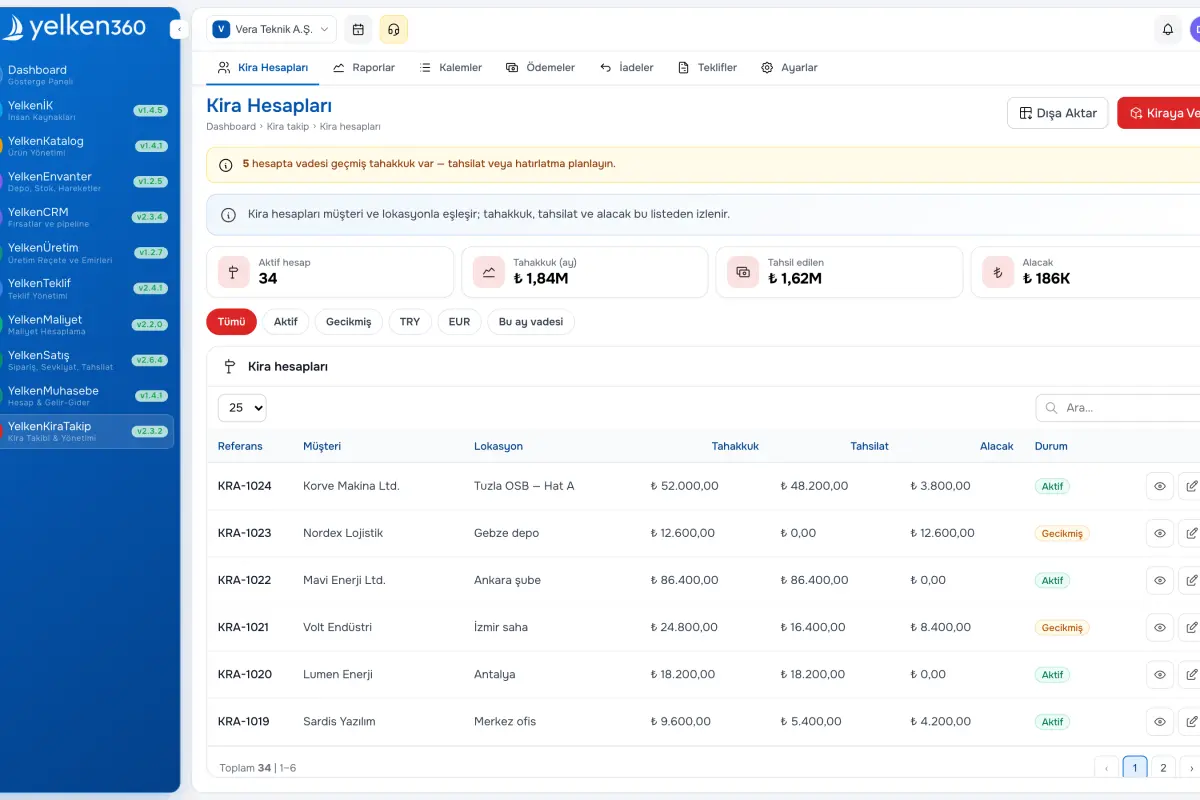
YelkenRent tracks rentals using customer–location accounts instead of traditional contract objects. All activity for the same customer at the same location rolls into one account; new lines attach to an existing account or create one automatically.
Each rental line accrues from its start date. Partial returns split segments so you know how many units were on rent in each period. Full returns stop billing for that line.
Maintain a rental item catalog with unit price, period (hourly/daily/monthly), and optional multiplier. Rent-out and return flows use guided modals; payments reduce balance at account level. Rental proposals let you draft, send, and convert accepted quotes into live rentals. Reporting covers operational KPIs, financial summaries, and customer detail with Excel and PDF export.
The timeline tab lists rent-outs, returns, and payments in order—ideal for scaffolding, equipment, and any time-based rental model.
Screenshots
See the interface up close.
-
Yelken Rent – List View -
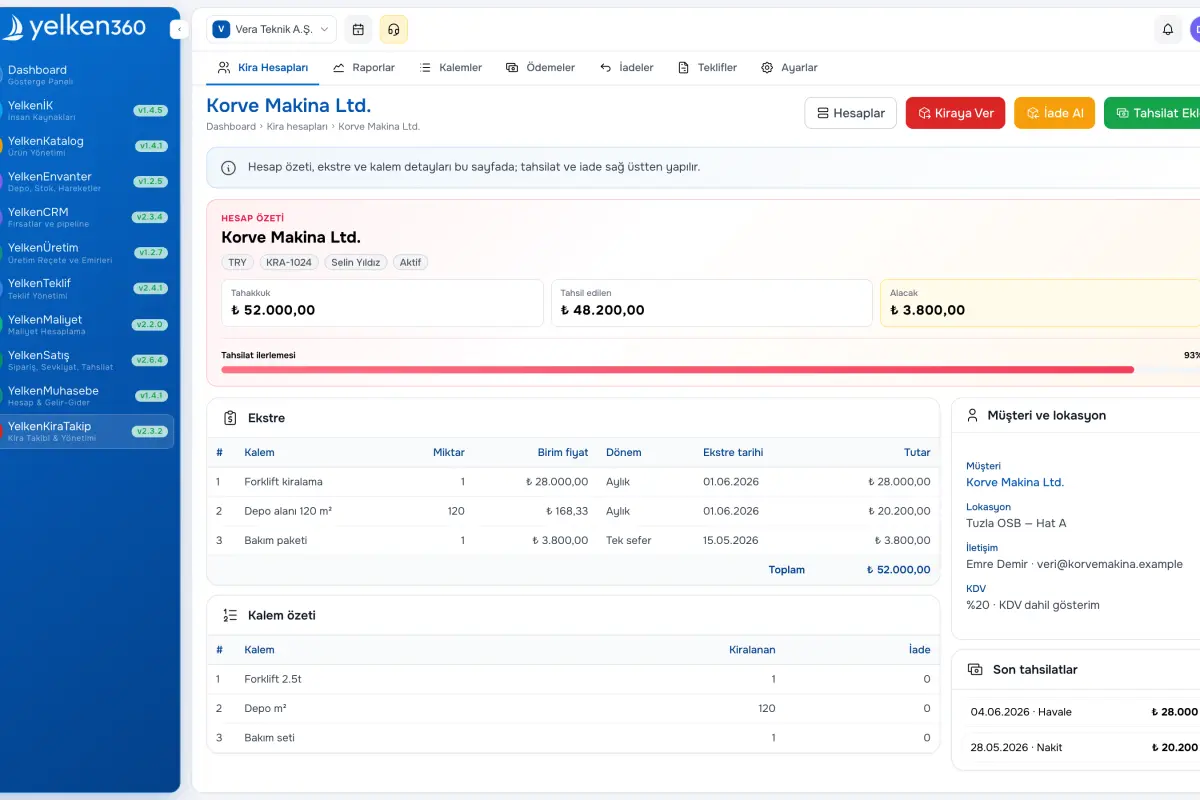
Yelken Rent – Detail View -
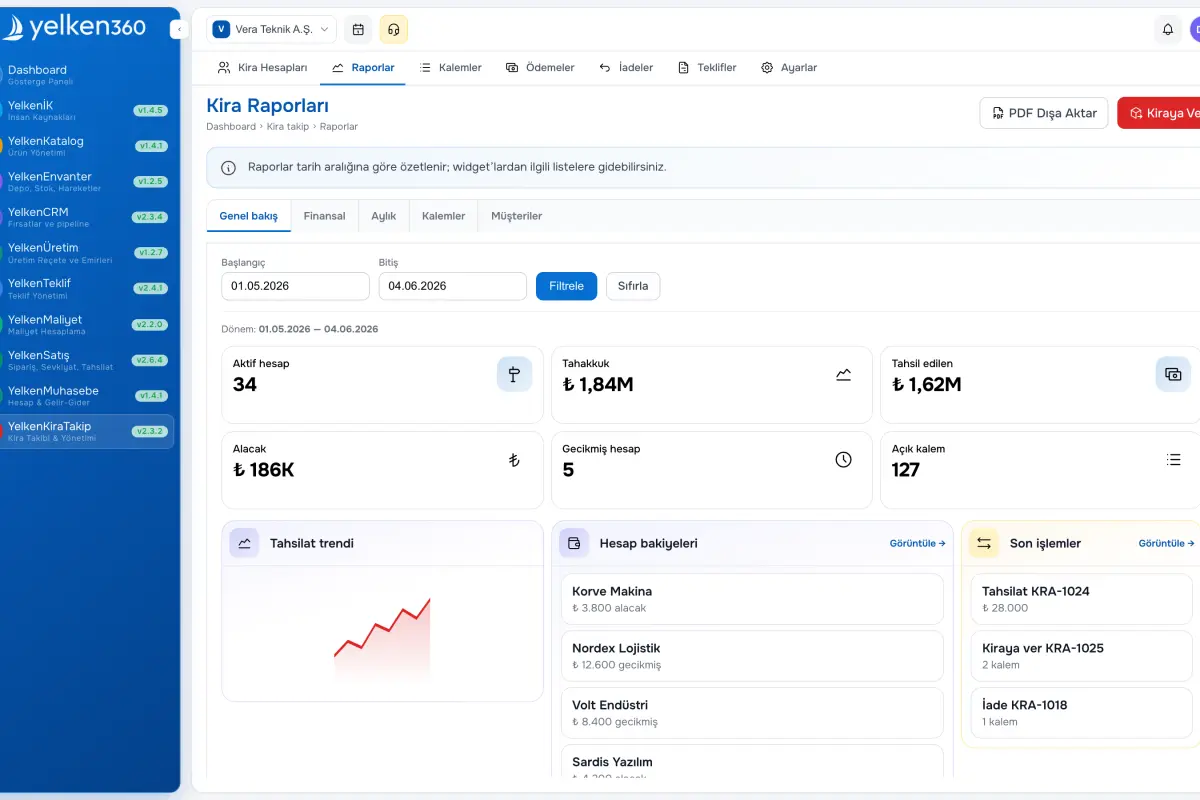
Yelken Rent – Dashboard View
Features
ERP, Catalog, Stock, Inventory, Invoicing, Accounting, CRM, HR, Integrations and more. Enable the modules you need under one subscription; new modules are added to the platform over time.
-
Rental accounts (customer + location)
One account per customer/location pair within a workspace. Additional rent-outs append to the open account or create it if missing—similar to a running account without a separate contract entity.
-
Segment-based earned revenue
Each line earns from its start date; partial returns create segments (e.g., 10 units 5 days, then 7 units 5 days). Balance due equals earned revenue minus payments; overpayments are highlighted.
-
Rent out and return
Modal workflow: Rent Out (customer/location or account, date, line items with qty, unit price, period) and Return (pick account, active lines, partial or full quantities, return date). Full return closes the line.
-
Payments and timeline
Record payments per account with amount, date, method (cash, wire, EFT, check), reference, and notes. Timeline lists rent-outs, returns, and payments chronologically.
-
Rentable item catalog
Define items with name, unit, default price, period, optional multiplier, and optional product link for stock integration. Pick from catalog or enter free-text lines on rent-out.
-
Rental proposals
Push draft lines to the Proposal module, edit, PDF, and send; Convert to Rental turns an accepted quote into accounts and positions with traceability.
-
Reports and export
Operational dashboard, financial period summaries, and customer detail with location breakdown plus timeline. Export detailed Excel and summary PDF.
-
Settings
Default billing period, currency, and optional stock linkage.
What does Rental Tracking provide?
YelkenRent models equipment or product rentals with customer–location accounts. The sections below explain balances, earned revenue math, and workflows.
Account model and workflow
Single open account rule
Rent out
Return
Payment
Earned revenue and segments
Period pricing
Segments
Multiplier
Catalog and proposals
Rentable item catalog
Rental proposals
Reports and settings
Reports
Settings
Ready to get started?
Visit the pricing page to explore all plans and start your free trial.
