
Yelken Catalog
Product & Catalog Module
Product catalog, variants, and inventory-aware sales.
- Rich product catalog
- Category and brand structure
- Variant and option management
- Attributes and value lists
Details
The Product Management module centralizes all product data for your business. You can define unlimited products, categories, and brands, and keep SKU, barcode, unit, stock unit, and tax information consistent.
For variant-based products (size, color, material, etc.), define option and value sets and generate multiple sellable lines from a single product card. Attribute and value lists give you a clean data model for filtering, reporting, and e-commerce integrations.
Tax rates can be set at product, category, or global level; bulk price updates and exports help you maintain large catalogs efficiently. The module integrates directly with Proposal and Invoice: when you add a catalog item to a line, names, units, prices, and taxes are pulled in automatically.
From small businesses to enterprise scale, Product Management keeps your catalog the single source of truth across Yelken360.
Screenshots
See the interface up close.
-
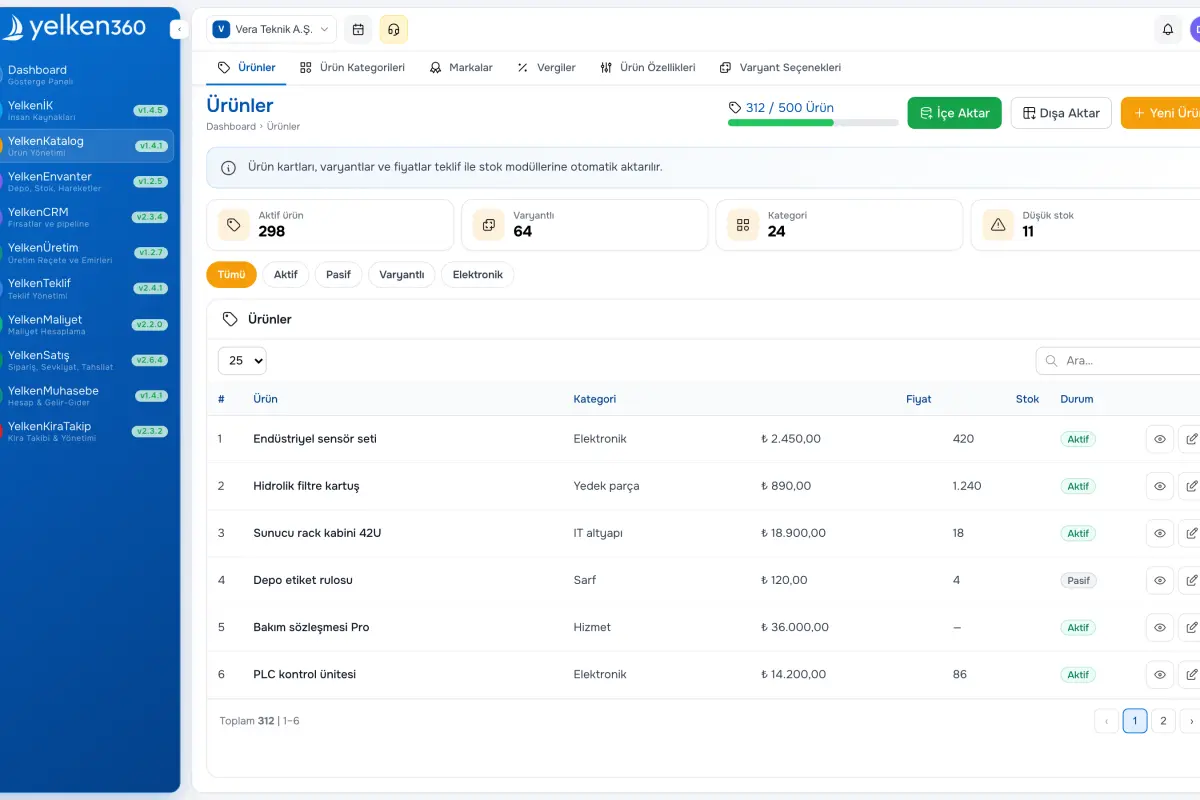
Yelken Catalog – List View -
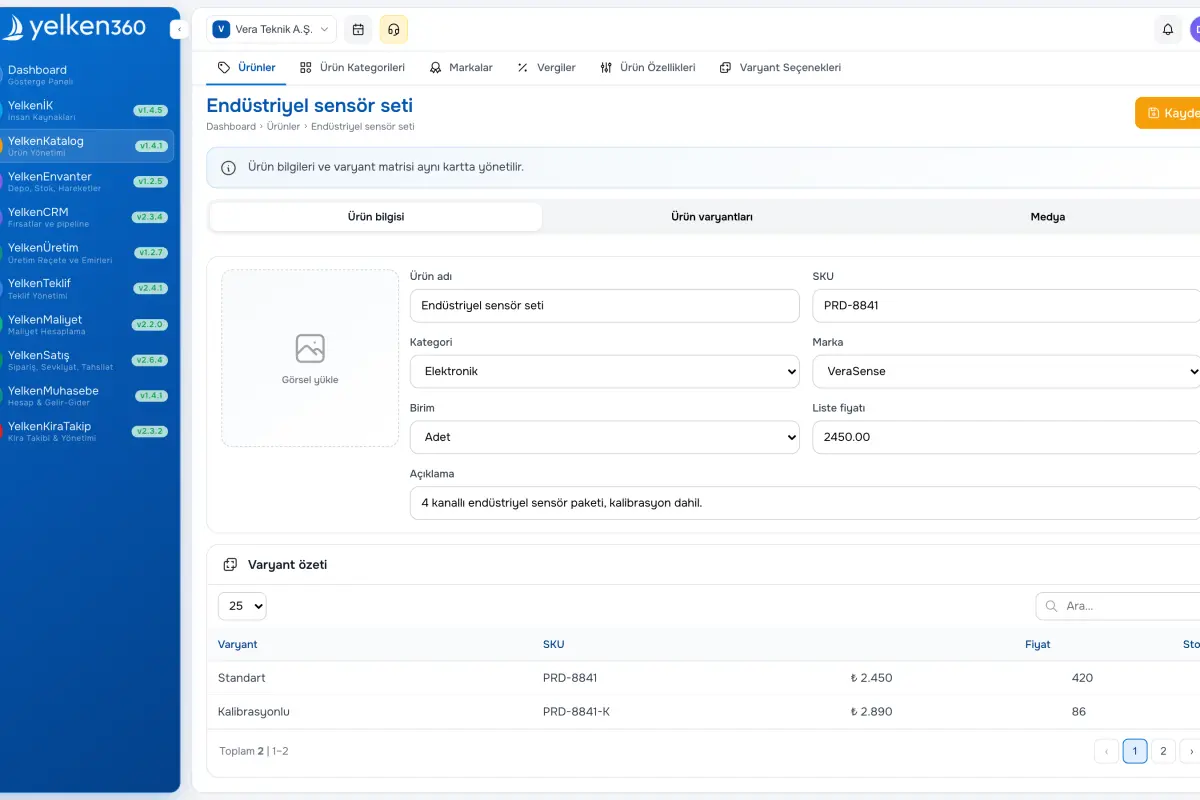
Yelken Catalog – Detail View -
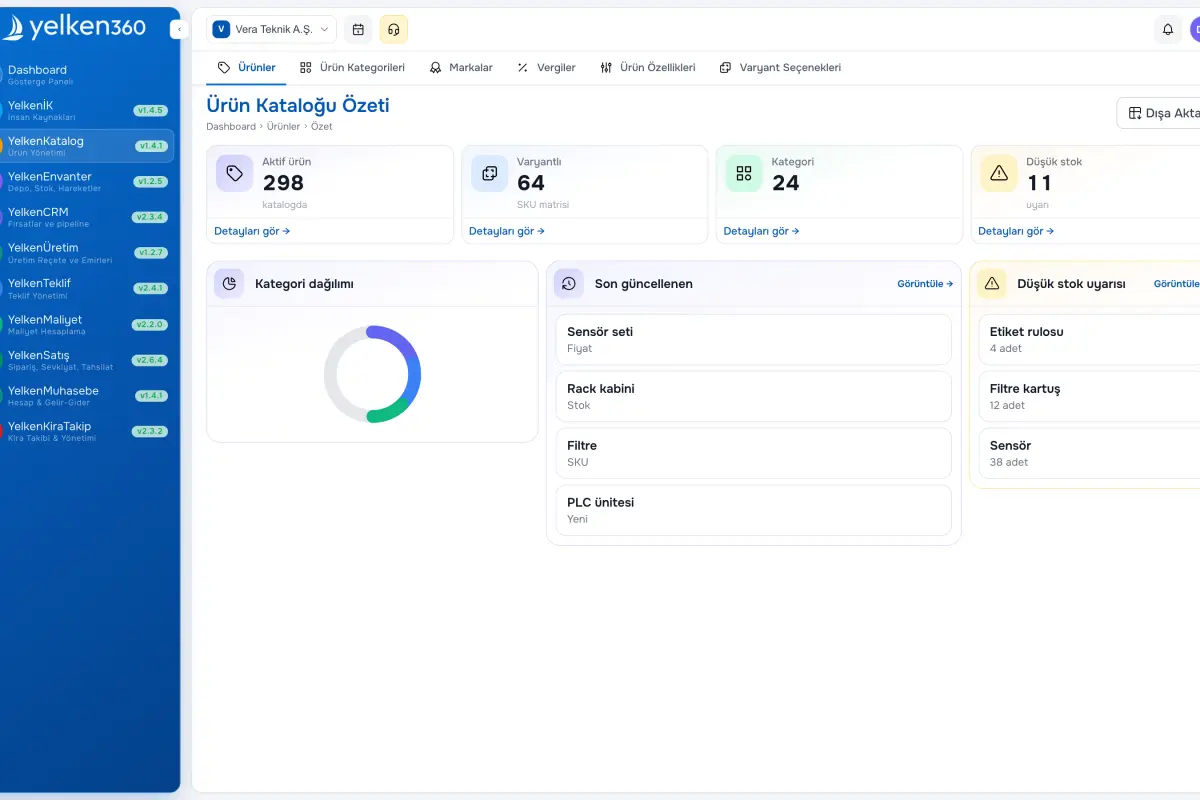
Yelken Catalog – Dashboard View
Features
ERP, Catalog, Stock, Inventory, Invoicing, Accounting, CRM, HR, Integrations and more. Enable the modules you need under one subscription; new modules are added to the platform over time.
-
Rich product catalog
Create unlimited products. For each item set name, SKU, barcode, short description, unit (pcs, kg, m, L, etc.), purchase/sale price, and stock unit. Group items by category and brand for faster search and consistent lines on proposals and invoices.
-
Category and brand structure
Use a hierarchical category tree with no practical limit on depth. Each category can have its own tax rate and defaults. Manage brands for brand-based lists, filters, and reports—also reflected in proposal and invoice reporting.
-
Variant and option management
Define variant options such as size, color, or material and value lists (e.g. S, M, L, XL). Generate variant combinations automatically from one product card. Assign different prices, stock, or barcodes per variant. Works with stock and e-commerce flows.
-
Attributes and value lists
Add structured attributes—material, weight, warranty, origin, etc.—with fixed value lists for data quality. The same structure supports filters, exports, and integrations.
-
Tax and pricing
Configure VAT and custom tax rates globally, by category, or by product. Respect workspace currency settings for tax-inclusive or exclusive display. Apply bulk price changes by percent or amount across the catalog.
-
Proposal and invoice integration
Search the catalog when building proposal or invoice lines; name, unit, price, and tax flow in automatically. With stock enabled, movements stay tied to the same catalog records.
What does Product Management cover?
Keep product data centralized and current so sales, stock, and reporting share one source. The sections below summarize structure and integrations.
Catalog structure
Categories
Brands
Attributes and values
Units and pricing
Variants and stock alignment
Variant options
Automatic variant generation
Stock module sync
Sales process integration
Proposal module
Invoice module
Reporting
Productivity tools
Bulk price updates
Export
Search and filters
Ready to get started?
Visit the pricing page to explore all plans and start your free trial.
