
Powered by Yelken Cost
Cost Calculation Software
Calculate and manage detailed product costs.
- Detailed cost modeling
- Discount management
- Cost line categories
- Multi-currency support
Key features
Core capabilities, tracking improvements and operational benefits this solution brings to your business.
Detailed cost modeling
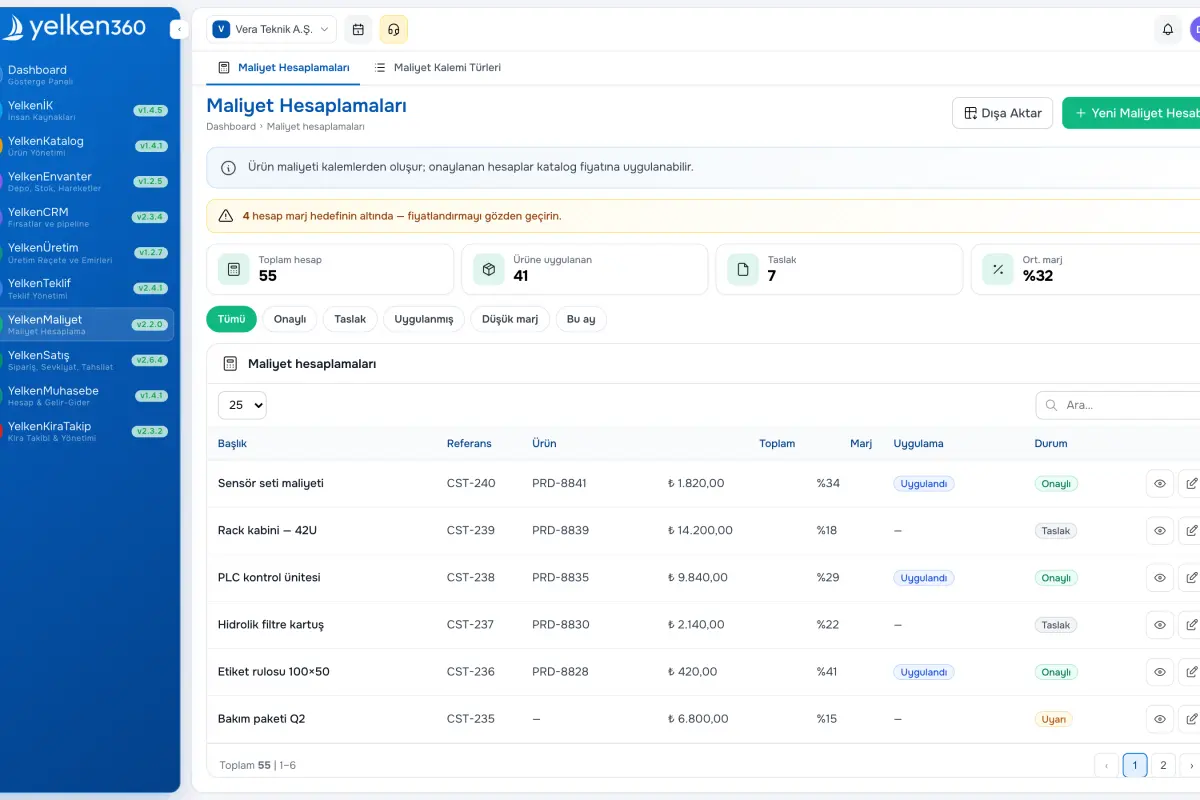
Add unlimited cost lines per product with unit price and quantity for automatic line totals. Classify lines into categories such as production, labor, freight, or tax with rules per type.
Discount management
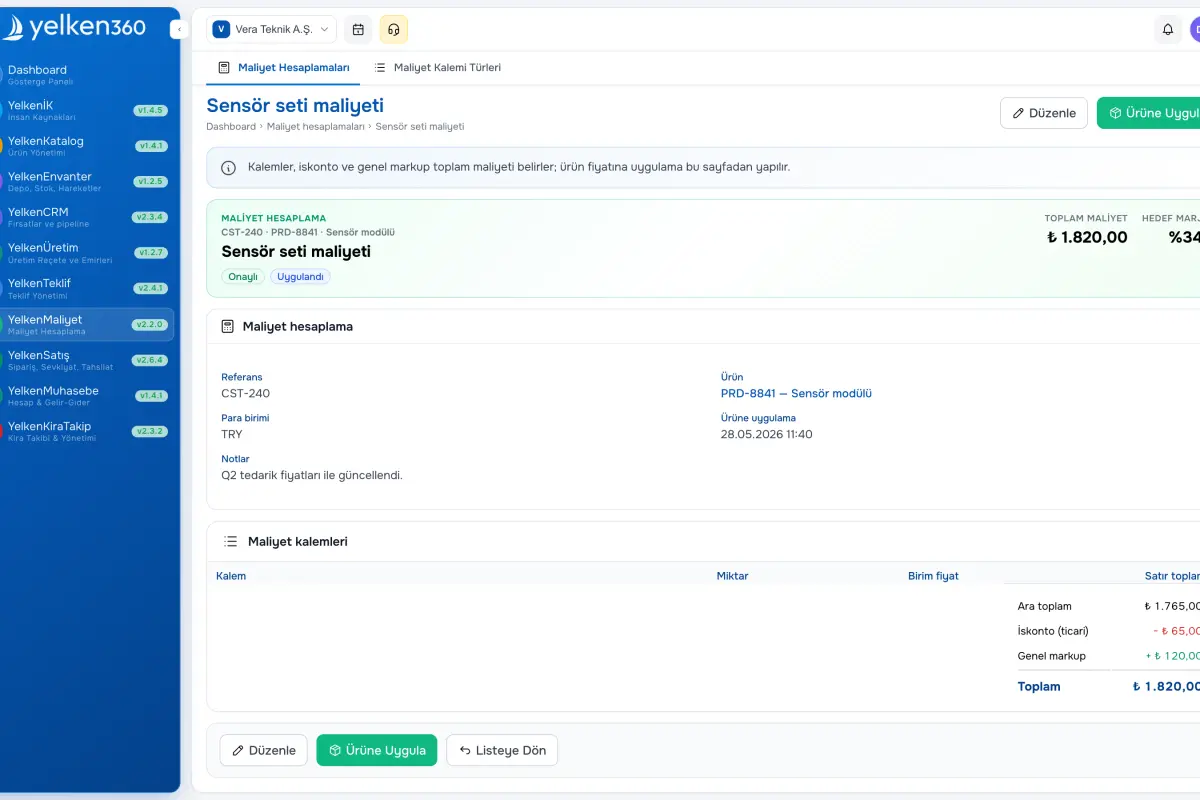
Apply percent or fixed discounts per line plus an optional document discount to reach net cost with transparent running totals.
Cost line categories
Define organization-specific line types—including standard lines, direct-add lines that skip discounts, and specialty rows—to mirror your cost architecture.
Multi-currency support
Run calculations in currencies other than the workspace default when needed; capture FX assumptions in notes for traceability.
Product catalog integration
Search the catalog while building a sheet and push net cost back to the product record in a single step.
History and references
Store reference numbers, dates, and descriptions for every calculation; duplicate prior sheets to accelerate similar SKUs and rely on audit trails for compliance.
Screenshots
See the interface up close.
-
Yelken Cost – List View -
Yelken Cost – Detail View -
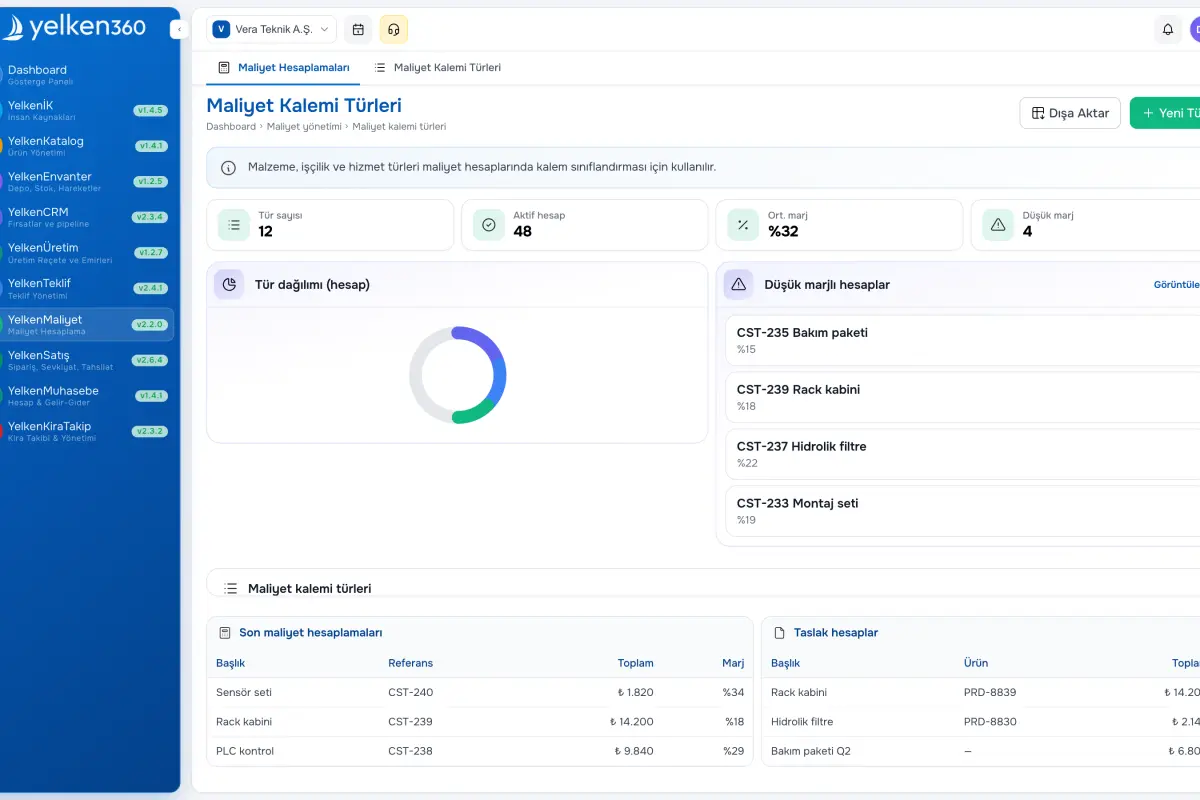
Yelken Cost – Dashboard View
7 Details
The Cost Calculation module helps you model true product cost. Organize lines into categories (production, labor, freight, tax, etc.), compute net cost after discounts, and apply the result straight to catalog items.
Use line-level or document-level discounts for net figures. Work beyond the workspace default currency when needed; store reference rates and notes for auditability. Every calculation is retained with reference metadata for history and reporting.
Tight integration with Product Management lets you pick catalog items while calculating and update product cost fields in one action. Define line types that match how your organization thinks about spend—from low-complexity SKUs to highly engineered products.
What does Cost Calculation offer?
Cost Calculation feeds pricing and margin strategy with transparent math. The sections below explain structure, discounts, and catalog application.
