
Powered by Yelken Inventory
Inventory & Warehouse Software
Warehouses, stock movements, transfers, and counts in one inventory hub.
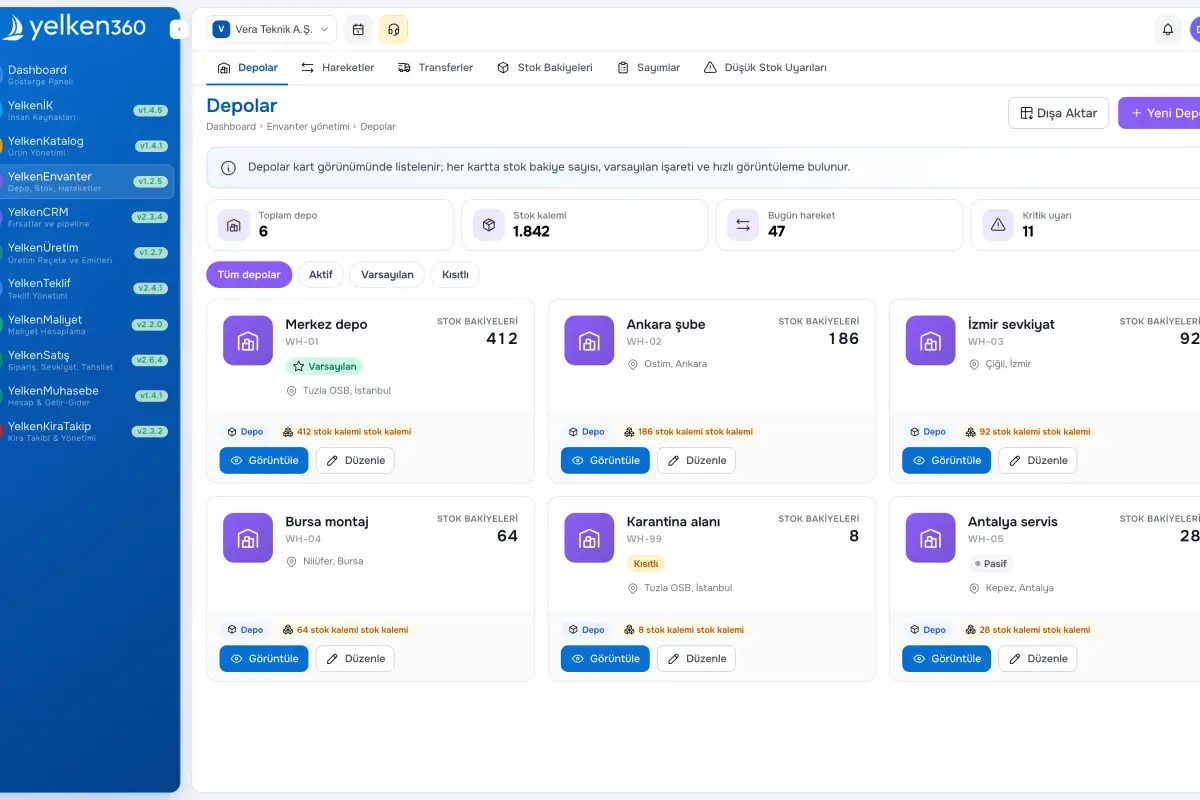
- Warehouse management
- Stock movements
- Transfers
- Stock counts
Key features
Core capabilities, tracking improvements and operational benefits this solution brings to your business.
Warehouse management
Create warehouses with name, code, address, contact data, and default/active flags. Balances per product and variant update automatically.
Stock movements
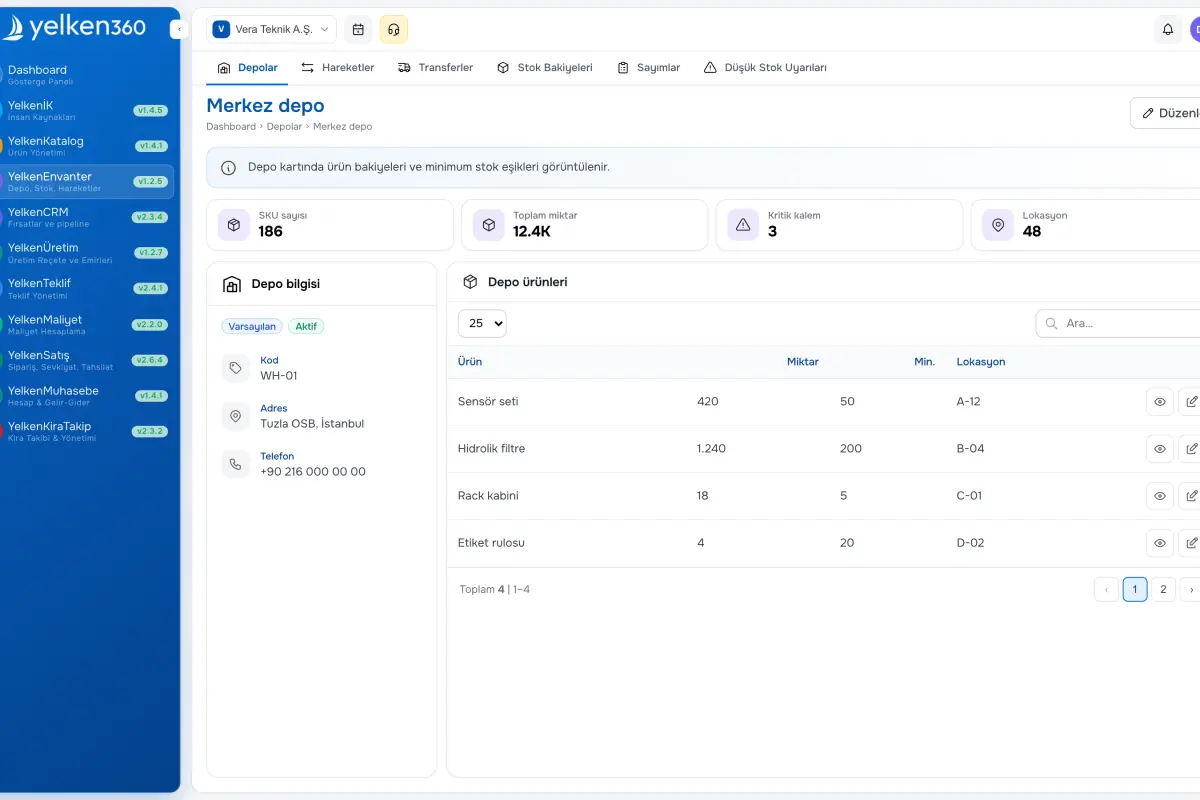
Log receipts, issues, and corrections by warehouse and product or variant. Each entry stores before/after quantities plus references and notes.
Transfers
Move stock between warehouses with draft, in transit, and completed states; issues deduct at source and receipts add at destination.
Stock counts
Open a count session per warehouse, enter counted quantities versus system figures, and post differences to balances with audit-friendly movements.
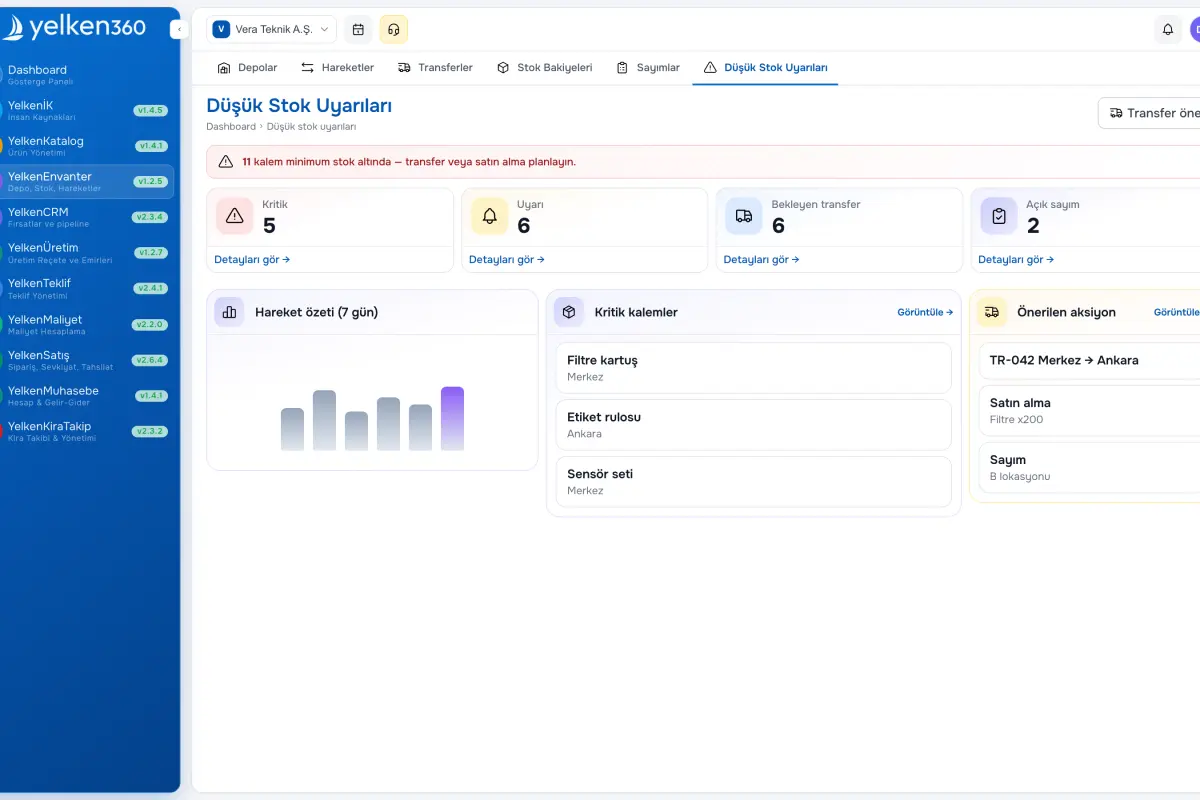
Minimum stock alerts
Set mins per warehouse and SKU; breaches appear on alert lists and dashboard widgets to guide purchasing.
Product catalog integration
Tracked items mirror Product Management records so balances, movements, and reports stay consistent.
Screenshots
See the interface up close.
-
Yelken Inventory – List View -
Yelken Inventory – Detail View -
Yelken Inventory – Dashboard View
7 Details
The Inventory module combines warehouse management, stock movements, inter-warehouse transfers, and cycle counts. Create multiple warehouses and track balances per product and optional variant. Record receipts, issues, and adjustments; transfer between locations; reconcile with physical counts.
It integrates with Product Management so tracked items map to catalog records. Set per-warehouse minimums to trigger low-stock alerts on dashboards and alert pages—from single-site shops to multi-warehouse operations.
What does the Inventory module include?
Inventory unifies warehouses, movements, transfers, and counts for businesses of any footprint. The sections below outline structure and flows.
