From Proposal to Invoice: The Full Process and How to Speed Up Your Business

In many businesses, the path from a customer inquiry to a paid invoice is long and fragmented: quotes are drafted in one tool, orders tracked in another, and invoices issued from a third. Data is re-entered at every step, versions get out of sync, and errors creep in. With Yelken360 you can manage the entire process from proposal to invoice on a single platform — reducing delays, keeping data consistent, and cutting operational risk.
Why unify the proposal-to-invoice flow?
When your quote, order, and invoice share the same product and pricing data, you stop double entry and manual reconciliation. The products and prices in your proposal are the same ones that appear on the invoice once the customer accepts. Stock movements and cost tracking can align with the same items and quantities. The result is faster turnaround, fewer mistakes, and a clearer view of each deal from start to finish.
Benefits of process management on one platform
- Single source of truth: Product names, units, and prices are defined once in your catalog and flow into proposals and invoices automatically.
- Faster approval-to-invoice: When a quote is accepted, you can convert it to an invoice in seconds instead of re-typing lines.
- Consistent reporting: Sales, stock, and cost reports all draw from the same transactions and master data.
- Lower error risk: No copy-paste between systems means fewer typos, wrong quantities, or outdated prices.
Step-by-step: from proposal to invoice
1. Create the quote
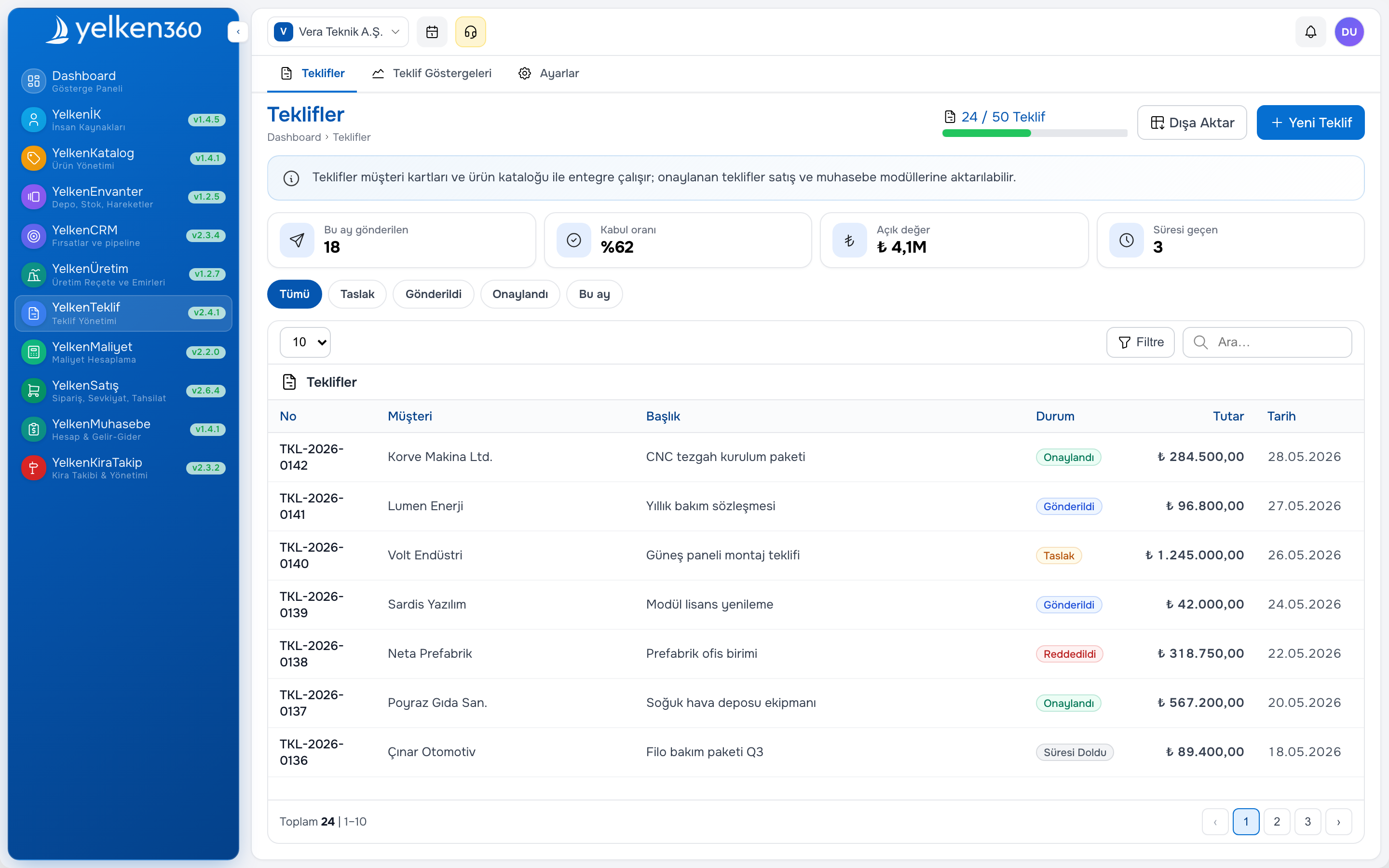
Use your product catalog to add lines to the proposal: select products, enter quantities and any discounts or custom prices. The default price and unit come from the catalog, so you can focus on the commercial terms. Send the proposal to the customer by link or export; they see a clear, professional document.
2. Customer approval
When the customer accepts the quote, you mark the proposal as approved. At this point the same lines can be transferred directly to an invoice. No need to re-enter items or amounts; you only adjust what must change (e.g. payment terms, due date). If you use templates or copy from the last proposal, creating the next quote is equally fast.
3. Issue the invoice
Generate the invoice from the approved proposal. The platform uses the same product and price data, so the invoice matches what the customer agreed to. If the inventory module is enabled, you can optionally create outbound stock movements for the invoiced items so that stock levels and cost of goods stay in sync.
4. Track and report
Once the invoice is issued, it becomes part of your workspace’s sales and (if applicable) stock and cost data. You can track payments and run reports on proposals, orders, and revenue without switching tools.
Best practices
- Keep your product catalog up to date so that every new proposal and invoice uses current names and prices.
- Use proposal templates for recurring deal types to save time and keep formatting consistent.
- Define clear steps in your team: who creates the quote, who approves it, and who issues the invoice — all within the same platform.
Summary
Bringing the full process from proposal to invoice into one flow shortens operational time, improves data quality, and makes it easier to scale. On Yelken360 you design this flow to match your workspace and module set: product catalog, proposals, invoicing, and optional inventory and cost modules work together so that your business runs on a single, reliable source of truth.