Modular Compatibility and Integrated Services

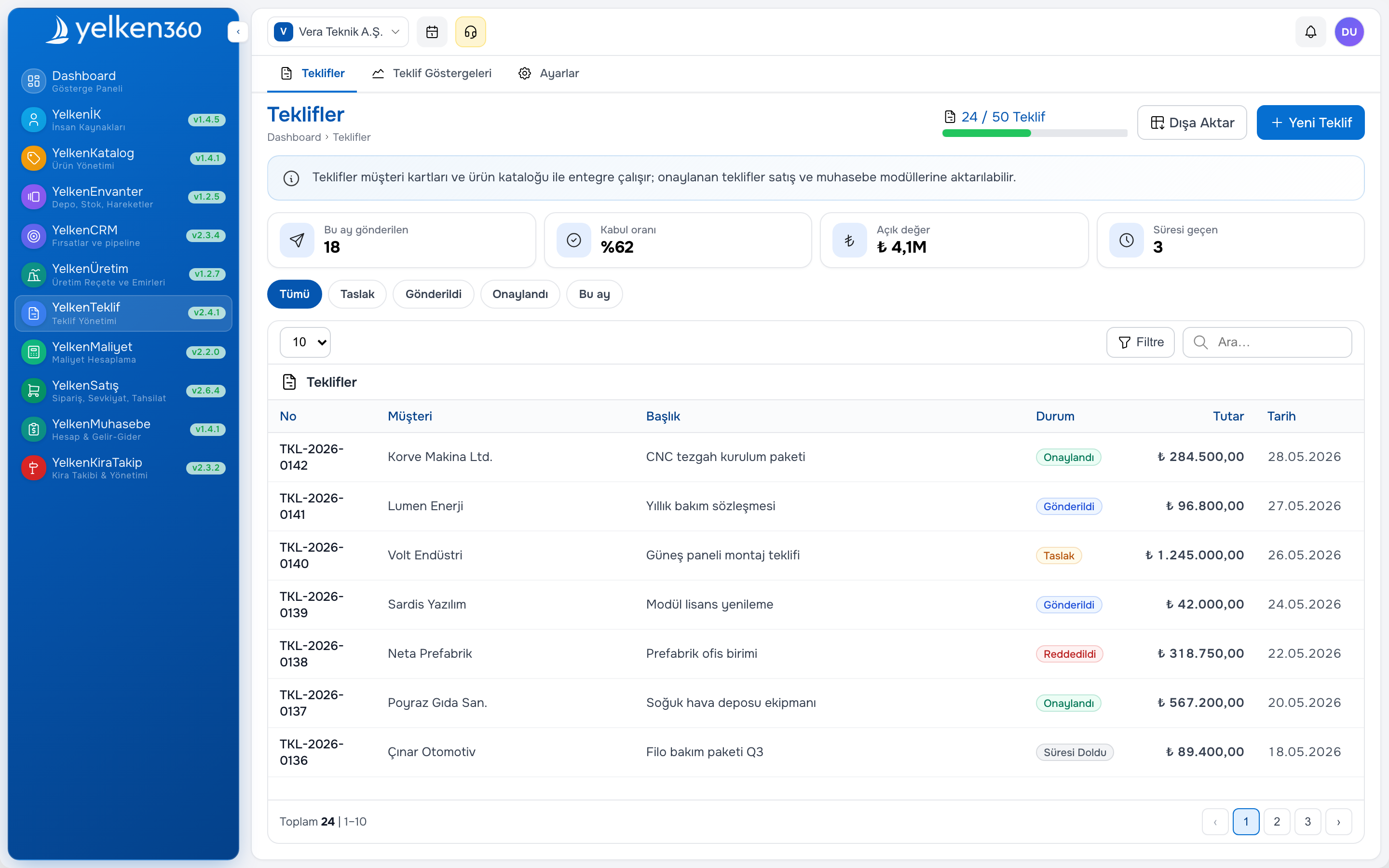
Efficient business processes depend on your tools sharing data instead of duplicating it. When the product catalog, proposals, inventory, and cost modules work from the same master data and transactions, you avoid re-entry, sync errors, and conflicting reports. On Yelken360, modular compatibility and integrated services are designed so that these modules work together in a single ecosystem.
Why does data flow between modules matter?
In a fragmented setup, product names live in one system, prices in a spreadsheet, and stock in another. When you create a quote you retype or copy-paste; when you invoice you do it again. Any change to a price or product name must be updated in multiple places, and reports from different systems often do not match. With modular compatibility, you define products, units, and prices once in the catalog. Proposals and invoices pull that data automatically. Inventory and cost modules use the same products and quantities. You get a single source of truth and consistent reporting across the flow.
How the product catalog and proposal module work together
Using the product catalog and proposal module together is the clearest example of this integration.
From catalog to proposal
In the catalog you define products with names, units, and default prices. When you create a proposal, you add lines by selecting products from the catalog. The line automatically gets the product name, unit, and default price. You can override the price or add a discount for that specific quote. So you never type product names or prices twice; you only adjust when the deal requires it.
Updates and consistency
If you change a product’s price or name in the catalog, new proposals use the updated values. Existing proposals can stay as they are (so accepted quotes do not change) or you can refresh lines from the catalog where your process allows it. This keeps control in one place while letting you lock in agreed terms per proposal.
Templates and speed
If you send similar quotes to similar customers, you can use proposal templates or copy an existing proposal. You then only change customer, dates, and perhaps a few lines. That reduces preparation time and keeps formatting and structure consistent.
Integration with inventory and cost
Inventory module
The inventory module links warehouses and stock movements to catalog products. When a proposal is accepted or an invoice is issued, you can create outbound movements for the items sold. Stock levels and value stay in sync with sales. All of this uses the same product and unit definitions as the catalog and proposals, so there is no mismatch between what you quoted and what you ship.
Cost module
The cost module manages cost items and calculations. You can attach calculated cost to products and use it for pricing and margin control. When you create a proposal, you see the same products with their cost data (if enabled), so you can check margins before sending the quote. Cost, sales, and inventory data align with the workspace currency and unit settings.
Benefits of integrated services
- Single data entry: Product, unit, and price are entered once in the catalog and reused in proposals, invoices, stock, and cost.
- Consistent reporting: Sales, stock, and cost reports use the same transactions and master data, so numbers match across the business.
- Fewer errors: Removing manual transfer and copy-paste reduces the risk of typos, wrong quantities, and outdated prices.
- Faster workflows: Creating a quote or invoice from catalog data takes seconds; templates and copy make repeat deals even faster.
Summary
Modular compatibility and integrated services on Yelken360 speed up your workflows and increase data reliability. The product catalog and proposal module together form the core: one definition of products and prices, used everywhere. You can extend this with the inventory and cost modules for end-to-end process management, so your business runs on a single, consistent source of truth.