Online Quote Software: PDF Quotes, Tracking and Approval
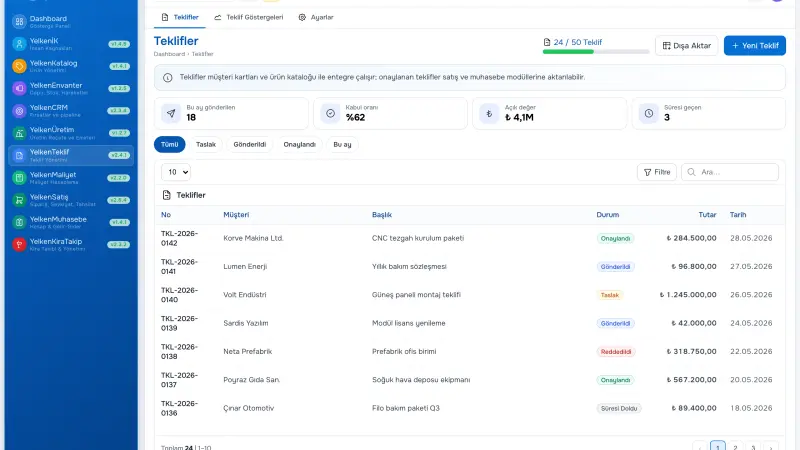
Emailing PDF quotes feels professional until nobody knows whether the buyer opened the file, which revision they read, or when they will respond. Online quote software with PDF output, view tracking, and structured accept or reject gives B2B teams measurable conversion data and shorter follow-up cycles—without abandoning procurement’s need for archived documents.
Short answer: Online quote software sends customers a secure link to review lines, terms, and totals; records views and responses with timestamps; still generates PDF for records; and can convert accepted quotes to orders—while quote tracking software alerts sellers when engagement stalls.
Why email-only quoting hides risk
Sales copies legal text on every revision. Procurement compares attachment tables manually. A discount agreed in email may never reach ERP. Follow-up calls start with “did you get my mail?” instead of “I see you reviewed lead times—any questions on line four?”
Online pages do not replace relationship selling; they remove friction and ambiguity in the document layer. Combined with proposal software, they become the system of record for what the customer actually saw.
What B2B buyers expect in 2026
- Mobile-friendly layout with clear totals and tax breakdown
- Obvious validity date and commercial terms
- Single authoritative version—no attachment confusion
- Fast approve or request change without printing
- Optional PDF download for internal records and audit
PDF quotes still matter
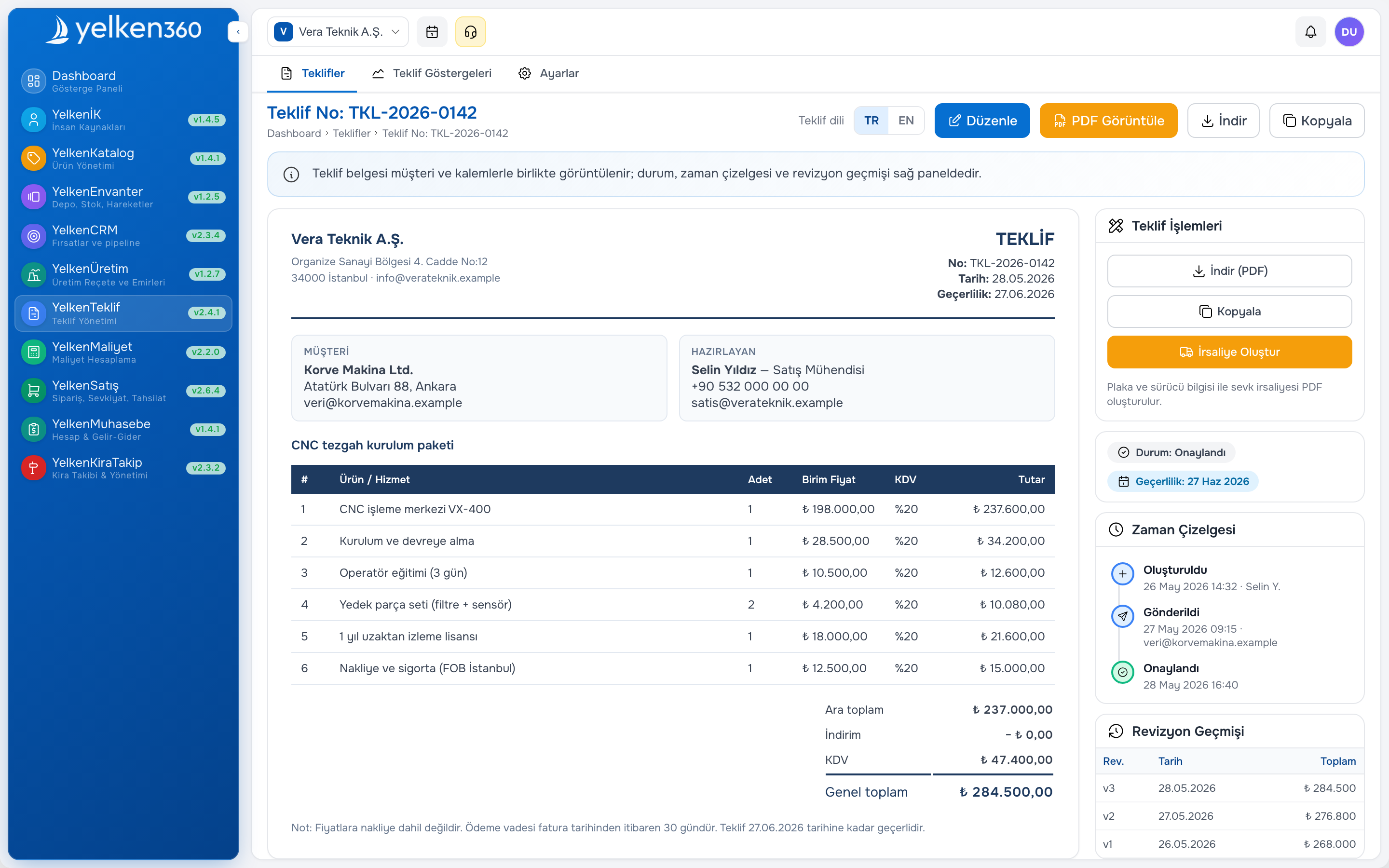
Procurement and finance often archive PDFs even when approval happens online. The best workflow offers both: a hosted quote page for fast decisions and a PDF generated from the same revision number. When PDF and online view diverge, disputes follow—lock the document after send so everyone references v2, not “the attachment from Tuesday.”
Template design should mirror the online page: logo, column layout, footer legal, payment and delivery blocks. Variable sections for warranty and export terms reduce copy-paste errors across reps.
Quote tracking: what to measure
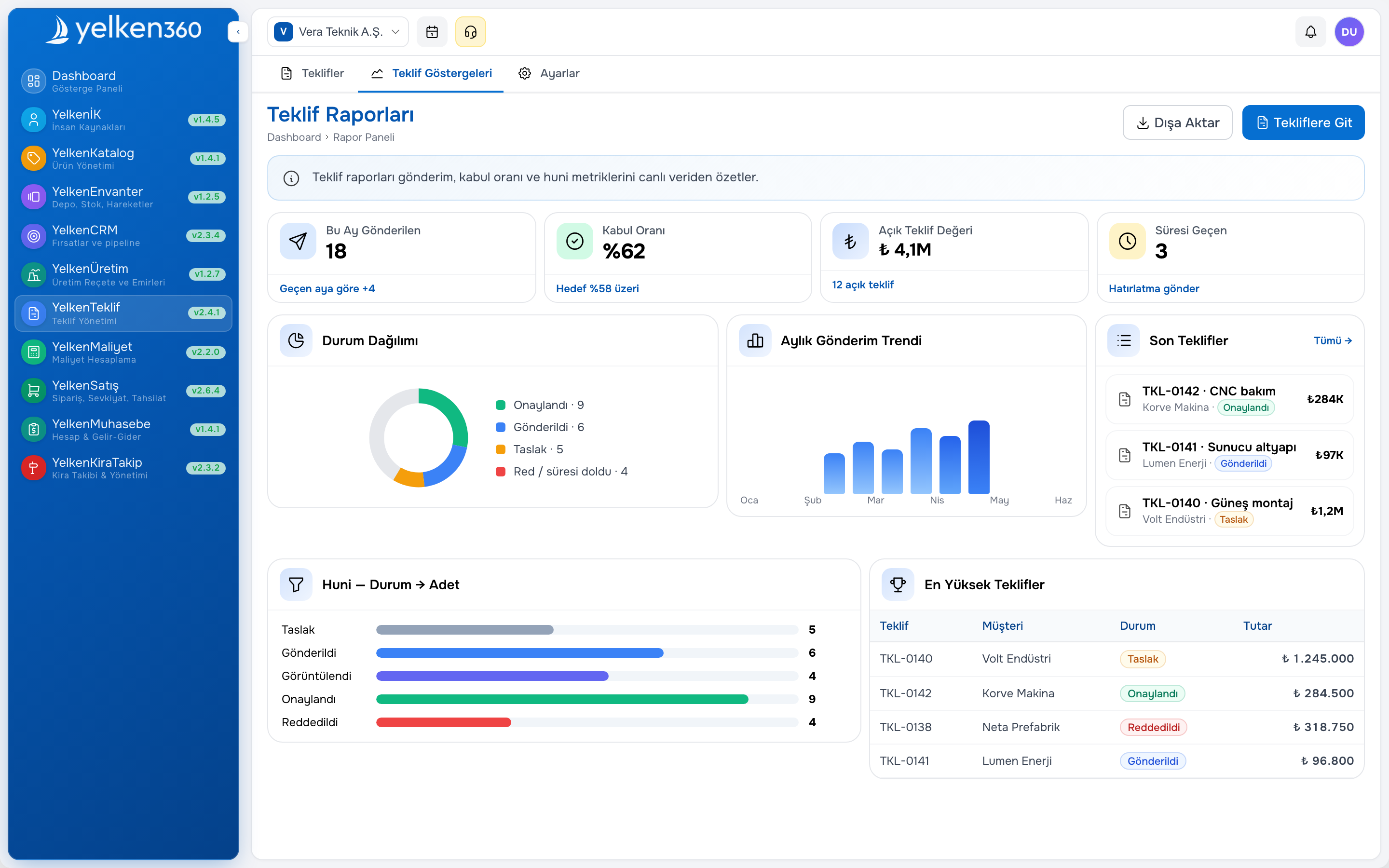
Quote tracking software answers operational questions sales managers actually ask:
- First view time after send
- Repeat views before decision
- Time from send to accept, reject, or expiry
- Quotes with no view after N days (follow-up queue)
- Conversion rate by template, segment, or owner
Notify the quote owner when activity stalls. Tie tracking to CRM stage—proposal sent when the link is issued, negotiation when the buyer reopens, won when accepted. See CRM software for pipeline alignment.
Online approval workflow (typical)
- Seller finalizes quote and triggers approval if required
- System issues secure link and optional PDF to customer contacts
- Customer reviews on desktop or mobile; system logs views
- Customer accepts, rejects, or requests change with comment
- Accepted quote converts to order or next fulfillment step
When to send PDF only, link only, or both
Some buyers refuse links on policy grounds; send PDF and note the quote reference for manual acceptance. Others prefer links for speed; lead with online view and attach PDF as backup. Procurement-heavy accounts often want both in the first email: link for action, PDF for filing. Train reps to log which channel the customer used so tracking stays accurate.
Validity dates and automatic expiry reduce stale quotes accepted after price changes. Configure reminders before expiry so sales can refresh terms instead of honoring outdated totals.
Security and customer trust
Quotes contain commercial terms, special pricing, and sometimes project details. Use role-based access internally; for external links, prefer time-limited URLs and HTTPS. Workspace isolation in cloud ERP keeps branch or brand data separated when one company runs multiple units.
Audit needs—“who changed which quote when”—are met by revision history matching the PDF reference number customers receive.
B2B sales cycle fit
Distributors may send high-volume catalog quotes with short validity. Engineers may attach technical annexes to the same quote record. Rental or project firms may combine line items with schedule notes. Online quote software should flex across these patterns without forcing one generic consumer checkout experience.
For inventory-backed promises, connect quoting to stock modules so online totals do not promise unavailable SKUs. Manufacturing readers can cross-check manufacturing sector capabilities when lead times come from production, not guesses.
Yelken360: online quote, PDF, and tracking together
The Yelken Proposal module supports branded PDF templates, customer-facing online pages, status tracking, and handoff toward orders when modules are enabled. Enable proposal first or alongside CRM depending on where your bottleneck is.
Review pricing for module bundles, browse modules, or book a focused demo via contact on your heaviest quote type (stock, project, or mixed).
Frequently asked questions
Does online quoting replace PDF?
No for most B2B accounts. Use online for speed and tracking; PDF for procurement archives and signatures where required. Both should share the same revision ID.
Will customers trust a link over email?
Professional branding, HTTPS, clear company identity, and a short explanatory email improve trust. Offer PDF download on the same page for buyers who need a file copy.
What if the customer never opens the link?
Tracking surfaces no-view quotes for follow-up. Combine with CRM tasks so stale deals do not disappear until someone acts.
Can we track quotes without full CRM?
Basic tracking lives in the quote module; CRM adds pipeline context, activities, and forecast. Growing teams usually adopt both.
How does quote tracking help forecasting?
Engagement signals (views, time to decision) complement stage-based forecast. Example scenario: deals with two or more views within forty-eight hours of send close faster in your own history—use that pattern for coaching, not generic industry stats.