Rental Tracking Module (YelkenRent): Features and Usage Guide
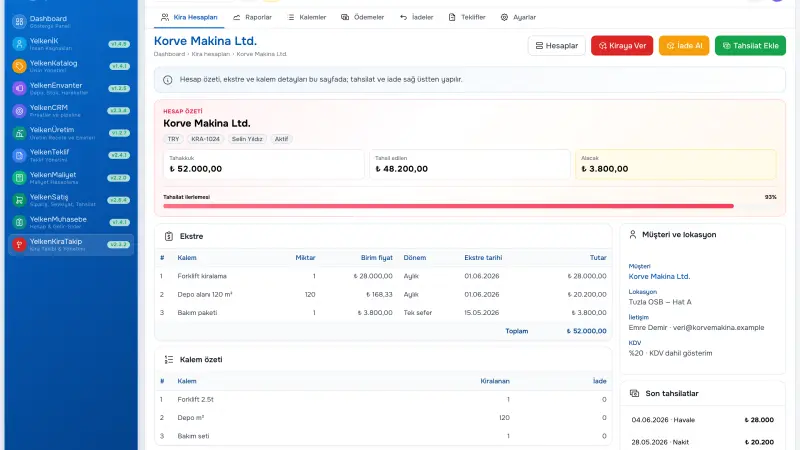
Businesses renting equipment, vehicles, commodities, or specialized assets accumulate revenue over time; partial returns split revenue segments; collection calls get stuck on spreadsheet rows. When units at different customer locations mix, balance and «how many days on rent» lose reliable answers. This guide focuses on the Yelken360 rental tracking module (YelkenRent): customer–location accounts, rent-out and return, accrual segments, collections, rental quotes, reports, and rollout. You will clarify what the module does, how it differs from Excel, and how it combines with other packages.
Short answer: The rental tracking module (YelkenRent) provides customer–location rental accounts, segment-based accrual, returns and collections, rental quotes, and Excel/PDF reports. It uses a continuous account model instead of a traditional contract object; events appear chronologically on a timeline.
What the rental tracking module does
A rental tracking program tracks which customer holds which asset, at which location, for how long, and how much revenue and collection resulted. YelkenRent fits especially recurring, time-based models: construction equipment, generators, containers, event gear, fleet segments, and similar.
The module is summarized on the rental tracking software solution page; this article adds implementation depth. For scaffolding as a sub-segment see the scaffolding rental tracking guide.
Who is it for?
- SMEs renting equipment and commodities
- Rental businesses with multi-location customer portfolios
- Operations with high partial-return rates
- Sales teams wanting faster quote-to-yard handoff
Customer–location account model
Within each workspace there is one open account per customer + location pair. New rent-out adds to the existing account or creates it automatically. Instead of «new contract every dispatch», a continuous account model applies.
- Multi-location customers keep balances separate
- New dispatches accumulate on the same account
- Timeline shows all events in order
Example scenario: Subcontractor X has «Main Site» and «Bridge Project» accounts with separate balances; the March collection meeting showed location breakdown; the dispute shortened.
Rentable item catalog
Each catalog item has name, unit, default unit price, period (hourly, daily, weekly, monthly), optional multiplier. Rent-out screen supports catalog pick or free-form lines. Optional product module link maps fixed assets or stock.
Rent-out, return, and accrual segments
Each rental line accrues from entry date. Full return closes the line. Partial return opens a new accrual segment: the system splits how many units stayed on rent in each period.
Example scenario: ten generators dispatched 1 April; four returned 20 April. The system accrues ten units 1–19 April and six units from 20 April. Finance reads month-end report from segment totals.
Collections, balance, and overdue
Payments post at account level: amount, date, method (cash, transfer, EFT, check), reference, notes. Balance = accrued revenue − collections. Overpayments are highlighted. Overdue lists can appear on the operations dashboard; reminder procedure follows company policy.
Timeline and audit trail
The account tab lists rent-out, return, and collection events by date. Customer disputes no longer depend on email search for «what happened which day». Transaction history supports audit and internal control; user and timestamp are preserved.
Rental quotes and convert to rental
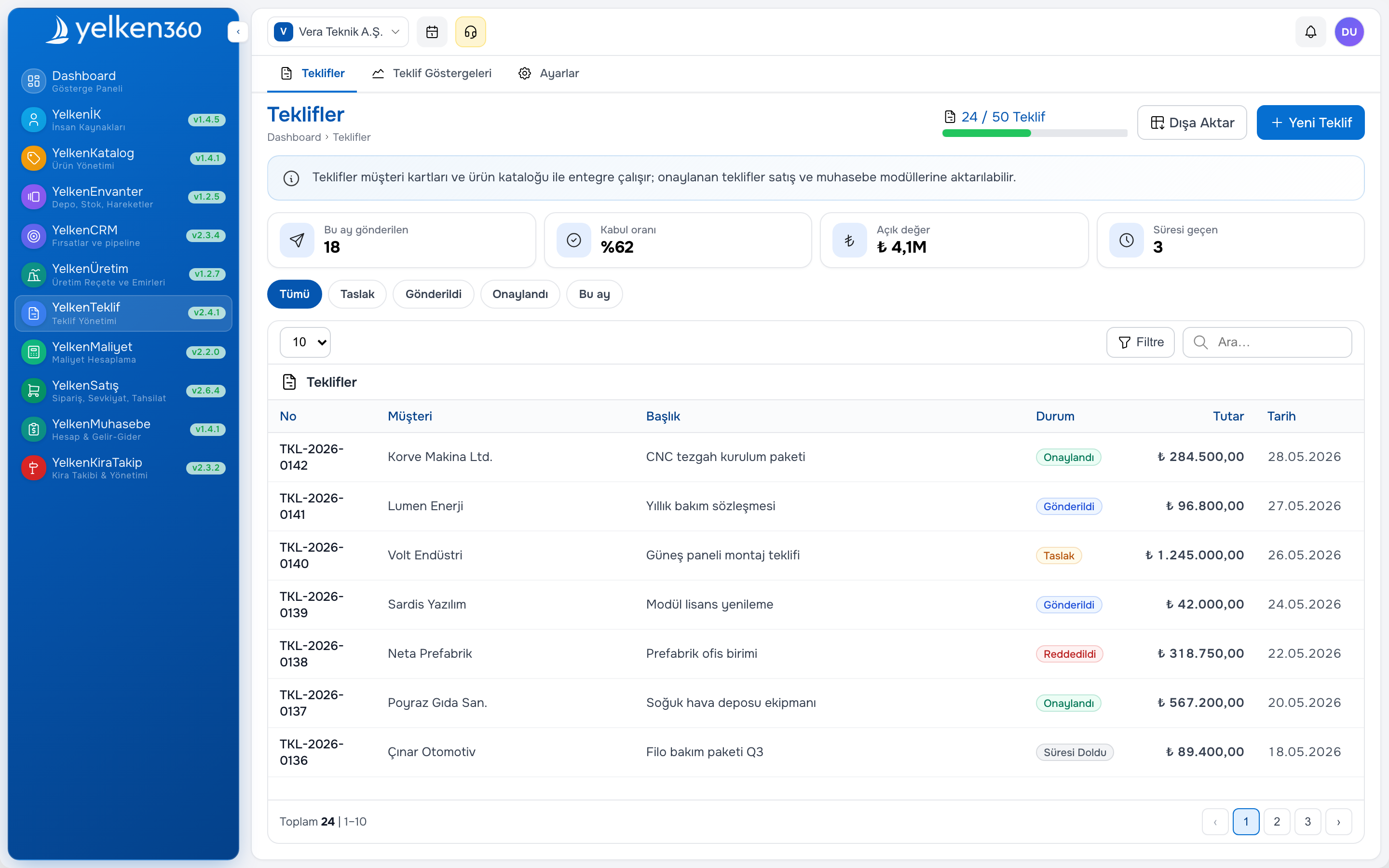
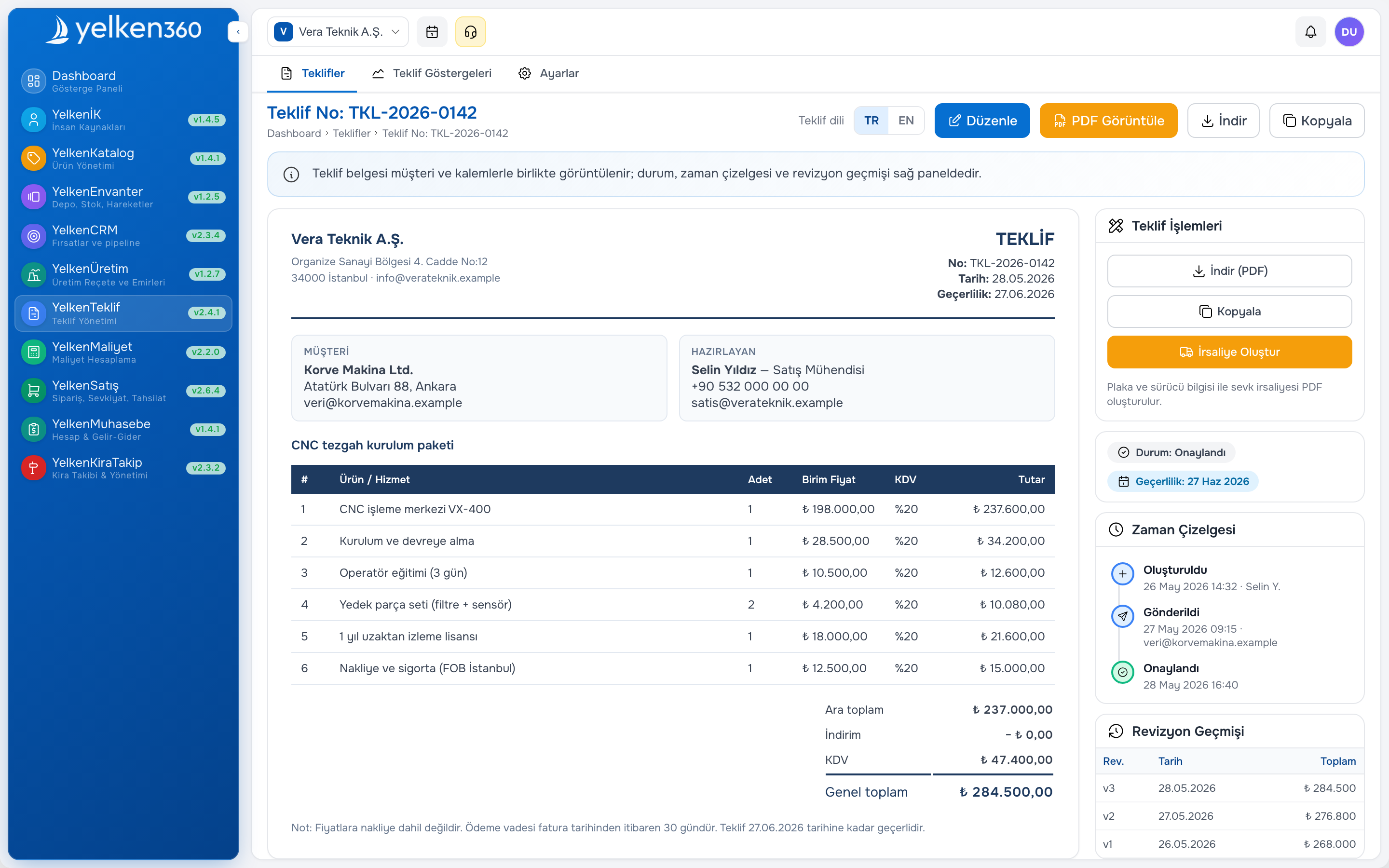
With the proposal module active, rental quote drafts can go to customers as PDF. After acceptance, convert to rental creates account and lines; quote reference is kept. Details: proposal software and B2B proposal guide.
Reports and export
Operations dashboard KPI cards: active accounts, accrued revenue, collections, balance, units on rent. Financial period summary, customer detail with location breakdown, Excel and PDF export. Management presentations and accounting reconciliation speed up.
Reading rental reports
- Summary: period, account count, accrual, collection, overdue
- Transaction log: date, type, amount, user, notes
- Customer detail: location breakdown and timeline
- Export: Excel/PDF
Excel versus YelkenRent
| Topic | Excel | YelkenRent module |
|---|---|---|
| Multi-location | Separate sheet risk | Customer + location account |
| Partial return | Manual segment | Automatic segment |
| Balance | Broken formulas | Real-time account balance |
| Event history | Deleted rows | Timeline log |
| Quote link | Standalone PDF | Convert to rental |
Module combinations
| Business model | Suggested packages |
|---|---|
| Field-focused equipment renter | YelkenRent + Proposal |
| Fixed-asset inventory tracking | YelkenRent + Product + Inventory |
| Large customer portfolio | YelkenRent + CRM + Proposal |
| Finance discipline | YelkenRent + Accounting |
Stock link: inventory and warehouse guide. Platform: Yelken360 modular ERP.
Rollout steps
- Build rentable item catalog
- Standardize customer cards and location labels
- Document rent-out / return procedure for field and office
- Run four to six weeks live on pilot account
- Weekly operations, monthly finance report rhythm
- Optional: proposal module and convert to rental
Modules and pricing help package selection.
Field and office split
Field staff enter rent-out and returns; office records collections and produces reports. RBAC separates roles. Mobile browser forms reflect field reality. In weak connectivity areas define a «pending draft» procedure.
Internal control
Reversal culture instead of deleting accruals. Restrict corrections outside authorized roles. Export transaction history for audit. The rental businesses sector page summarizes typical expectations.
Customer disputes and reconciliation
«You charged extra days» disputes are common in rental. Timeline and segment table on one screen shorten calls. Location-breakdown export can go to the customer by email; internal reconciliation notes go in the notes field. Example scenario: the subcontractor said they returned twenty platforms 15 March; the system showed return logged 14 March; the call ended in five minutes.
Performance metrics
Core rental KPIs: average days on rent, accrual per account, collection delay days, partial-return rate, active unit count. YelkenRent operations dashboard filters these by period; management meetings need no Excel compilation. Example target: reduce share of balances open beyond ninety days from fifteen to eight percent—the report lists those accounts for action.
Frequently asked questions
Does the rental module replace accounting?
No. It tracks operational accrual and collection; official books stay in accounting. Reconcile via export.
Do we need a contract object?
YelkenRent uses continuous customer–location accounts; you do not write a new contract for every return.
Can we use it without the proposal module?
Yes. Start with catalog and manual rent-out; add quote integration later.
Multiple workspaces?
Each workspace has separate subscription and data; regional or brand split is possible.
Deposit and guarantee tracking
Equipment renters often hold customer deposits separate from rental accrual. Define whether deposit balance lives on the same account or a linked note; reconciliation meetings should show rental balance and deposit status without a second spreadsheet. Return inspection ties to timeline events so «deposit withheld for damage» references a dated return line.
Period presets and management reporting
Finance needs consistent period boundaries (calendar month, rolling four weeks, project phase). Rental reports should filter accrual and collection by the same preset the management deck uses. Export to Excel for board packs remains valid; source numbers should come from one module query, not recomputed pivots.
Handoff to accounting
Operational accrual in YelkenRent is not the general ledger. Export period totals with customer and location keys accounting expects. Monthly close checklist: compare module accrual export to invoice batch; investigate gaps before lock. Example scenario: April accrual export matched invoice sum within rounding; close finished one day earlier than prior Excel process.
Workspace isolation for multi-brand renters
Groups running separate brands or regions under one company account use workspace isolation: each workspace has its own subscription, catalog, and customer set. HQ can compare KPI exports without mixing balances. Define whether customers may exist in multiple workspaces or are cloned with clear policy; duplicate customer master creates collection confusion if not governed.
API and export for group reporting
Holding structures sometimes need consolidated rental KPI across workspaces. Periodic export (accounts, accrual, collection, units on rent) into group BI is enough for many SMEs; real-time API is optional until internal analytics matures. Define export column names once with finance so monthly group pack does not rename fields every quarter.
Common rollout mistakes
- Loading ten years of Excel history before first live rent-out
- Letting sales bypass catalog with free-text lines only
- No written partial-return procedure for field crews
- Skipping collection entry discipline because «accrual is enough»
- Enabling proposal convert before catalog and location labels are stable
How does rental module pricing usually work?
Typically per workspace with limits on accounts, catalog items, or users. Compare total cost including proposal and CRM if you plan to enable them in the same year; bundle decisions should follow process need, not discount alone.
Schedule a quarterly review of catalog rates, location label standards, and role permissions even after go-live; rental operations drift when crews turnover and nobody updates the catalog defaults.
Bring your top three customer dispute scenarios to implementation kickoff; configure timeline and segment views to answer those scenarios in one screen during training. Record a three-minute screen capture for new field hires.
Summary
The YelkenRent rental tracking module gives equipment rental businesses customer–location accounts, segment accrual, collections, quote integration, and reporting. Demo and plans: contact.