Scaffolding Rental Tracking: Program Guide for Rental Firms
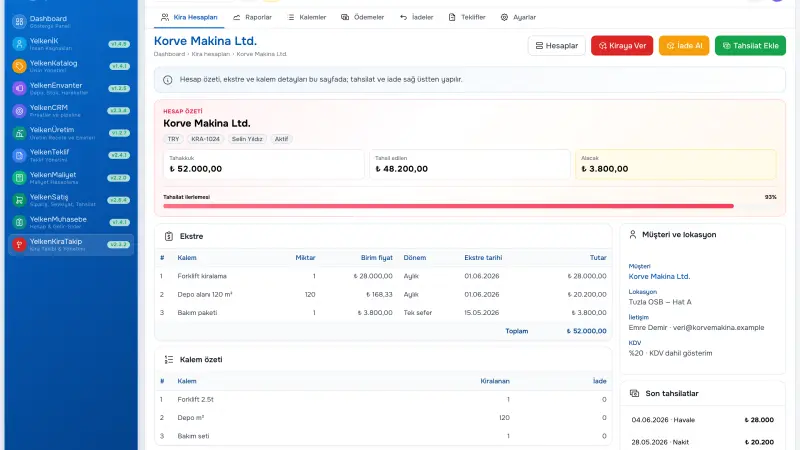
Scaffolding rental firms juggle multi-site jobs for the same subcontractor, fast yard dispatch, frequent partial returns, and period-based accrual math—Excel and messaging threads break down quickly. When platform counts from a teardown reach the office late, March revenue becomes a dispute; collection calls devolve into email archaeology over «which period for how much». This guide focuses only on the scaffolding rental business model: scaffolding rental tracking discipline, choosing a scaffolding rental program, customer–location accounts, and field–office alignment. You will leave with selection criteria, partial-return logic, rollout steps, and where the rental module sits inside modular ERP.
Short answer: Scaffolding rental tracking combines unit dispatch, partial returns, period accruals, and collections in one customer-and-jobsite account. A rental tracking program automates that model for scaffolding firms so field and office read the same balance.
What makes scaffolding rental different
A scaffolding supplier typically rents to contractors or subs on a time basis: facade scaffolding, platforms, stair towers, guardrail sets, mobile towers, and accessories. Units stay on site until the project phase ends; partial dismantling mid-phase is common. A traditional «new contract for every dispatch» model fits poorly; a customer + location continuous account works better.
Typical operational pain includes five locations under one customer, different start dates, mixed daily and monthly rates, Friday yard dispatch logged Monday in the office, and gaps between quote PDF and actual dispatch. Scaffolding rental tracking needs digital accounts, segment-based accrual, and a timeline of events in order.
Who needs this most?
- Scaffolding renters with multi-site subcontractor portfolios
- Facade operations with high partial-return rates
- Field teams that must log rent-out quickly on mobile
- Finance teams trying to shorten collection cycles
Why Excel and WhatsApp fail
Spreadsheet templates work at low volume. As volume grows, rows shift, formulas break, and version chaos appears. Example scenario: the yard logged «120 platforms»; the field dispatched «108 platforms + 12 stair towers»; the invoice was wrong; the customer disputed; collection slipped six weeks.
Post–partial-return «March revenue» arguments often trace to formula errors in Excel. A central rental tracking program records every line with date, unit, quantity, and price; segment math runs automatically.
Excel versus software comparison
| Criteria | Excel / messaging | Scaffolding rental program |
|---|---|---|
| Multi-location | Separate file risk | Customer + location account |
| Partial return | Manual segment | Automatic accrual segment |
| Balance | Formula errors | Real-time account balance |
| Event history | Email archive | Timeline |
| Quote link | Standalone PDF | Convert to rental |
Customer–location accounts
«ABC Construction» stays on one customer card; «Bridge Project km 4» and «Housing Block B» open separate location accounts. Balances do not mix; collection meetings can show location breakdown. The YelkenRent rental module delivers this per workspace; see the full feature list in the YelkenRent usage guide.
Partial return example
Fifty platforms dispatched 1 March; twenty returned 15 March. The system accrues daily for fifty units 1–14 March and thirty units from 15 March onward. Finance can show the segment table on screen; «you charged extra days» disputes shorten.
Selection criteria for scaffolding rental software
- Account model: Continuous customer + location account
- Partial returns: Automatic segments; minimal manual fixes
- Field UX: Fast rent-out on mobile browser
- Timeline: Dispatch, return, collection in chronological order
- Quote path: Convert to rental after approval (if available)
- Reporting: Excel/PDF export, KPI cards
See construction and contracting and rental businesses for related business models.
Field–office rhythm and procedure
Rule: rent-out is completed from the field the same day. The office does not retype from scratch on Monday; it approves or corrects drafts. Weekly KPIs: units on rent, accrual, overdue collections, stale open lines.
Example scenario: the site foreman logged forty-five platforms Friday on a tablet; the yard added the delivery note number in the notes field; finance saw correct accrual Tuesday morning; the customer did not dispute.
From quote to site: closing the gap
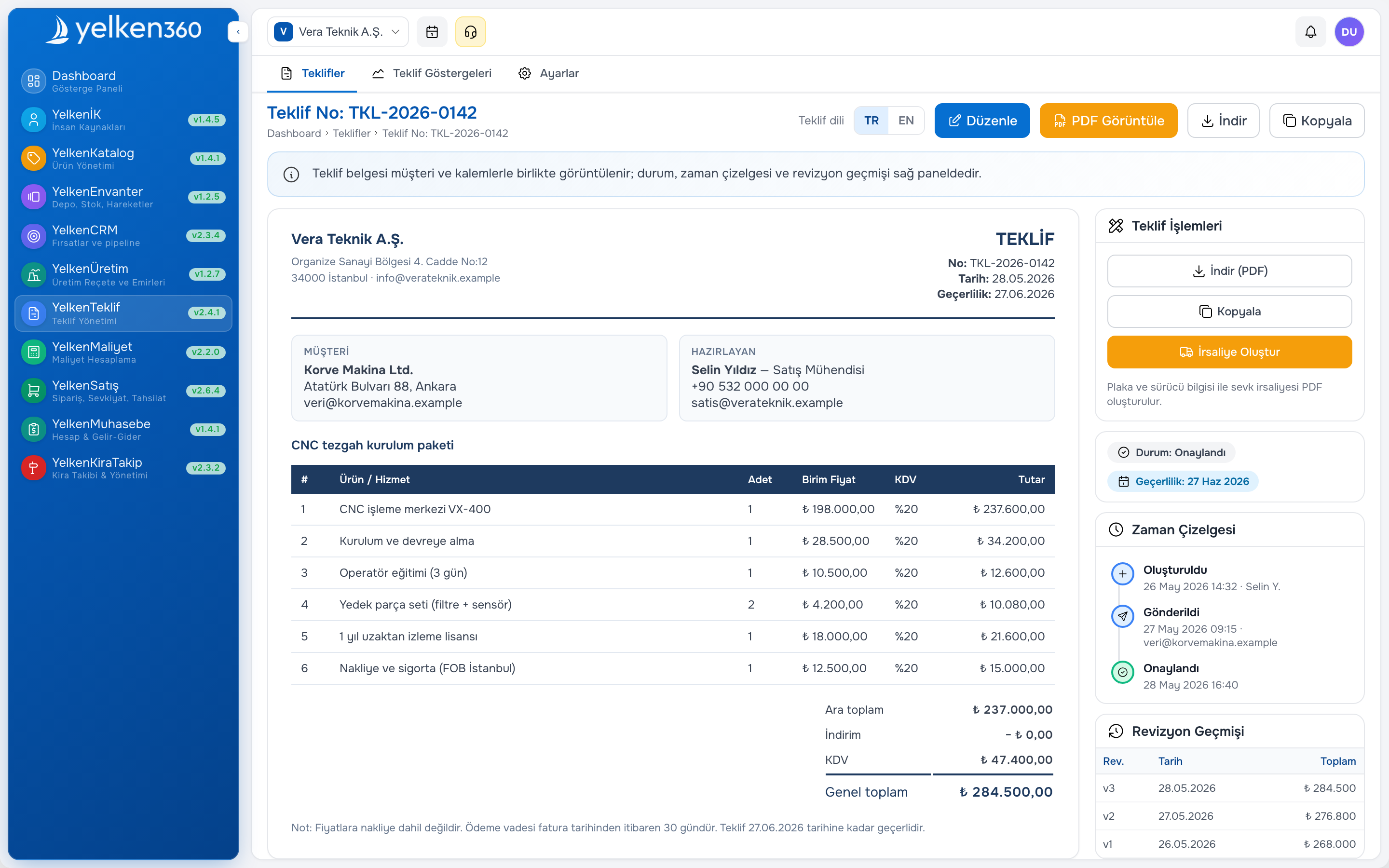
Scaffolding firms usually quote before dispatch. Lines from proposal software can flow into a convert to rental action after acceptance, creating the account. The gap between sales promise and operational start closes. For B2B quote flow see the online approval guide.
Modular growth beyond rental
As the firm grows, CRM, inventory, or accounting modules can be added on the same platform. Platform architecture: Yelken360 modular ERP guide. For stock integration: inventory and warehouse guide.
Rollout roadmap
- Define scaffolding items in catalog (unit, daily/monthly rate)
- Standardize location labels (project code + short name)
- Assign field and office roles (who rent-out, who records collection)
- Run four weeks live on one pilot subcontractor–location account
- Compare parallel Excel; retire Excel when numbers match
- Fix weekly operations report rhythm
First 30 days checklist
- Days 1–5: Catalog, customer cards, location labels
- Days 6–15: Rent-out and first return on pilot account
- Days 16–20: First collection entry, balance reconciliation
- Days 21–25: Test partial-return scenario
- Days 26–30: Expand to second pilot or active portfolio
Accrual periods and invoicing practice
Scaffolding billing is often monthly or by project phase; invoice lines must match units actually on rent. The program produces segment accruals; finance posts period totals to invoice. Example scenario: at end of April the «Bridge km 4» account shows thirty-eight platforms × thirty days plus twelve stair towers × eighteen days; accounting sees the same total on the invoice.
Late entry or missing return records are the top revenue-leak causes. A weekly «open line» report flags on-rent lines without delivery proof and items open beyond thirty days. That rhythm needs manual filters in Excel; a scaffolding rental program surfaces it on KPI cards.
Internal control and customer reconciliation
Prefer reversal entries over deleting accruals. Restrict unauthorized backdated price changes. Offer location-breakdown PDF or Excel export for customer reconciliation; «our spreadsheet differs» disputes shorten with the timeline. Export transaction history for audit periods.
Frequently asked questions
Is scaffolding rental software the same as full ERP?
No. Narrow «rental ledger» tools stay limited. A rental module inside modular ERP shares customer identity with proposal, CRM, and inventory.
Daily or monthly billing?
Software should support flexible periods; catalog defaults per scaffolding type. Facade work often monthly; short access often daily.
Should we migrate ten years of Excel?
Active accounts and open balances are enough; deep archive delays go-live.
What to ask in a demo?
Two locations under one customer, partial return, collection—read balance and timeline together.
Seasonal demand and fleet planning
Scaffolding demand peaks in construction season; idle fleet in winter still needs location tracking if units move between yards. Software should show which customer holds which unit without a separate «winter spreadsheet». Example scenario: forty platforms returned in November; twenty re-rented in March from the same catalog lines—history shows prior rates and customer notes without digging through email.
Rate changes (daily to monthly at day thirty-one) should be catalog-driven so finance does not manually recalculate segments. Document the rate-change policy in internal procedure before go-live.
Insurance, damage, and missing units
Lost or damaged scaffolding items need a documented write-off or charge-back path tied to the rental account timeline. Notes fields on return events capture damage photos reference numbers; finance links repair invoice to the same location account. This keeps «we never received those twelve frames» disputes tied to dispatch and return timestamps rather than verbal claims.
Training field teams in week one
Short video or one-page cheat sheet: open account, add rent-out, partial return, add note. Test on pilot site before portfolio rollout. Champions on each crew reduce Monday office rework. Review first ten real transactions with finance in week two; fix catalog gaps (missing stair tower unit, wrong default period) before scale.
Benchmarking your current process before buy
Before selecting software, measure today: average days from dispatch log to office entry, count of balance disputes per month, hours finance spends on segment spreadsheets. After ninety days on pilot, measure again on the same accounts. Internal benchmark beats vendor ROI slides. Bring those numbers to demo calls and ask the vendor to replay your partial-return scenario live—not a canned happy path only.
Can we run one account per project instead of per location?
Location accounts map cleanly to jobsite labels your field teams already use. Pure project codes work if you standardize naming; mixing «customer only» accounts across sites recreates the balance-mix problem this guide avoids.
Document your pilot metrics and review at day thirty and day ninety; that rhythm keeps the project honest and gives leadership a fact base beyond vendor demos.
Summary and next step
Choosing a rental tracking program for scaffolding firms directly affects operational visibility and collection speed. Compare packages on YelkenRent, modules, and pricing; request a demo via contact.